AI bookkeeping for businesses in Thailand

Clear at a glance.Run it your way.

Snap the receipt and your books are done. AI reads Thai receipts and shows them in English; your ledger, VAT and withholding tax reports build themselves.

  • 14 days free, no card
  • Japanese · Korean · Chinese · Thai · English
  • Checked against Thai tax rules
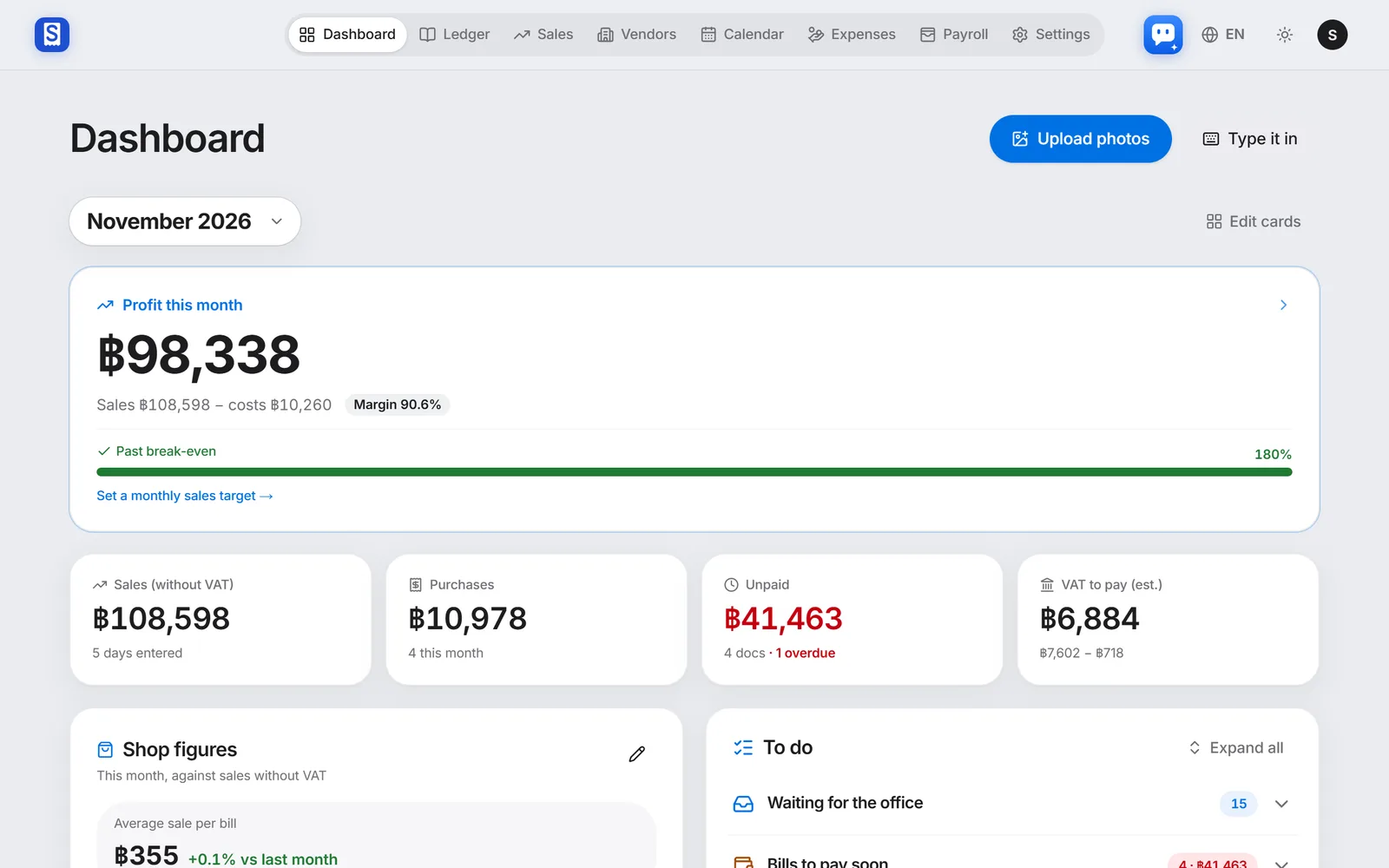
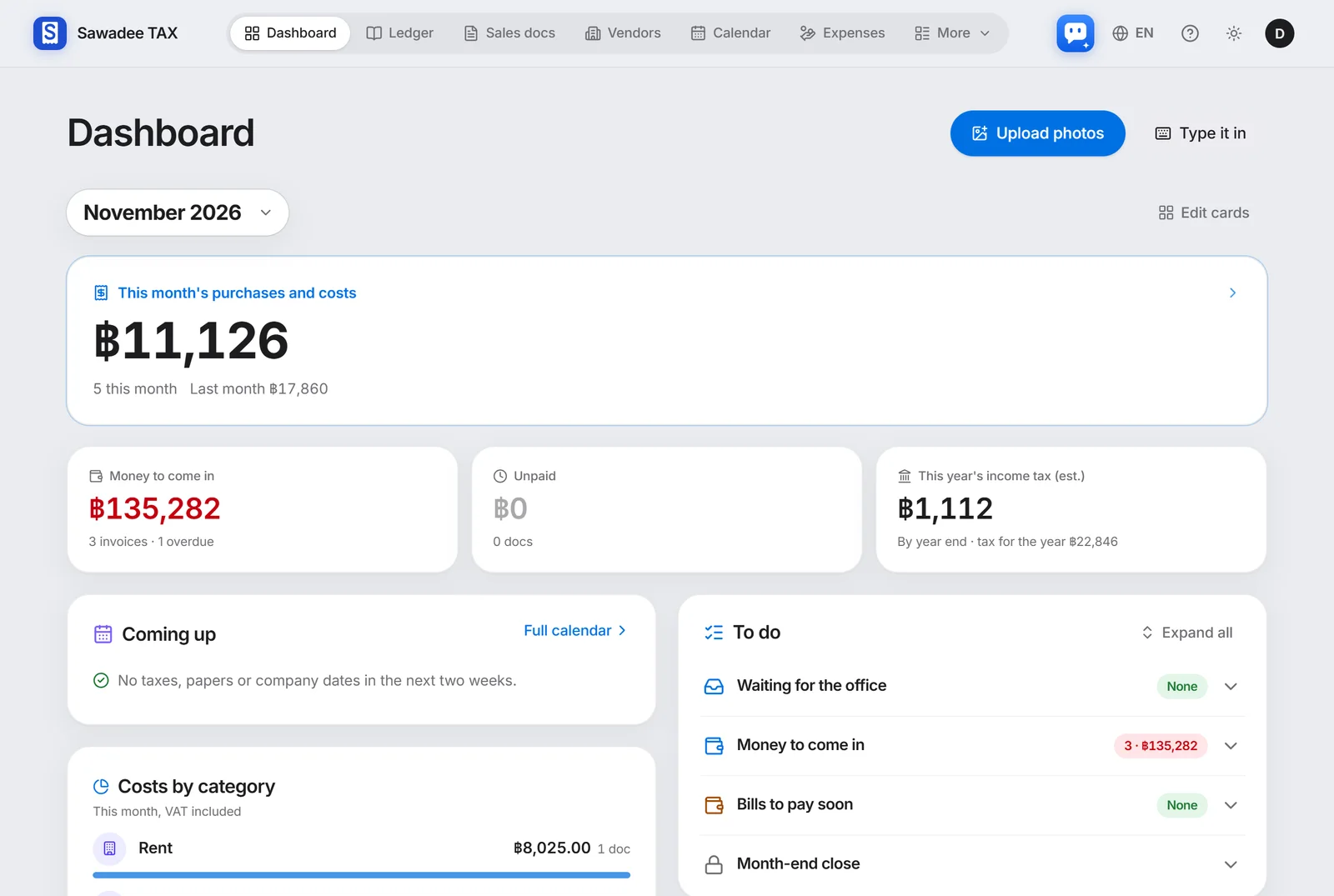
Demo shop dashboard: this month's profit, sales, unpaid bills and VAT
The figures are the made-up demo shop's books, not a real customer's.
  • Upload photosThai receipts, shown in English
  • Profit this monthSales minus costs
  • VAT to pay (est.)Output VAT minus claimable VAT
  • UnpaidHow many, and which are overdue

Where would you like to start?

Pick the way in that fits you now. Consultation is free.

Turn on only what you need

From reading receipts to payroll, expenses and tax dates. Here is what each screen does, shown with the real app.

1

Clear at a glance

AI receipt readingFrom Free

One photo, and AI reads it

Snap a Thai tax invoice: the seller, tax ID, items and VAT are read and laid out next to the original, in your language.

  • Blurry photos, PDFs, several receipts in one shot
  • Tax ID, date and totals checked automatically
  • Warns you when the same receipt comes in twice
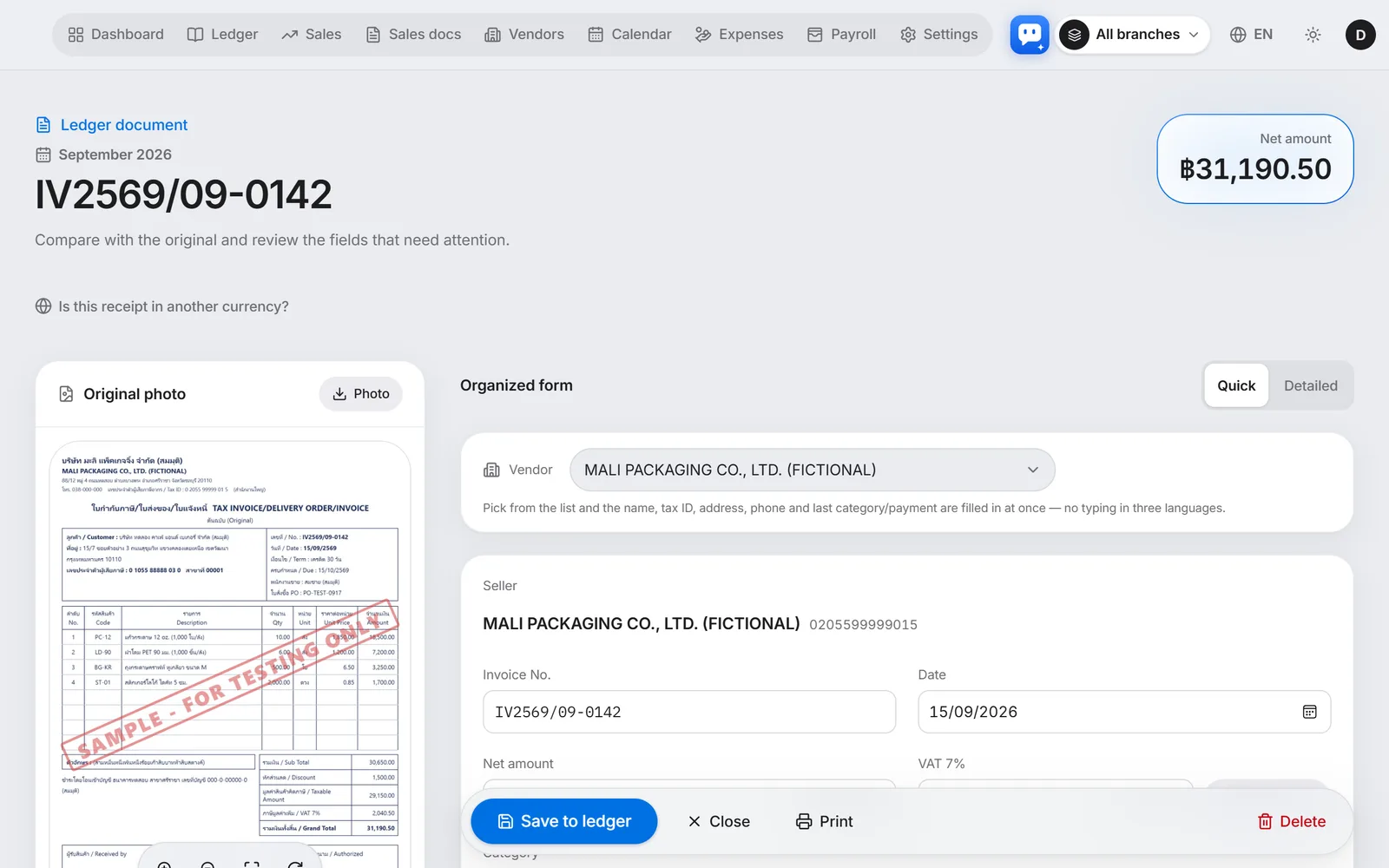
A tax invoice read by AI, next to the original photo

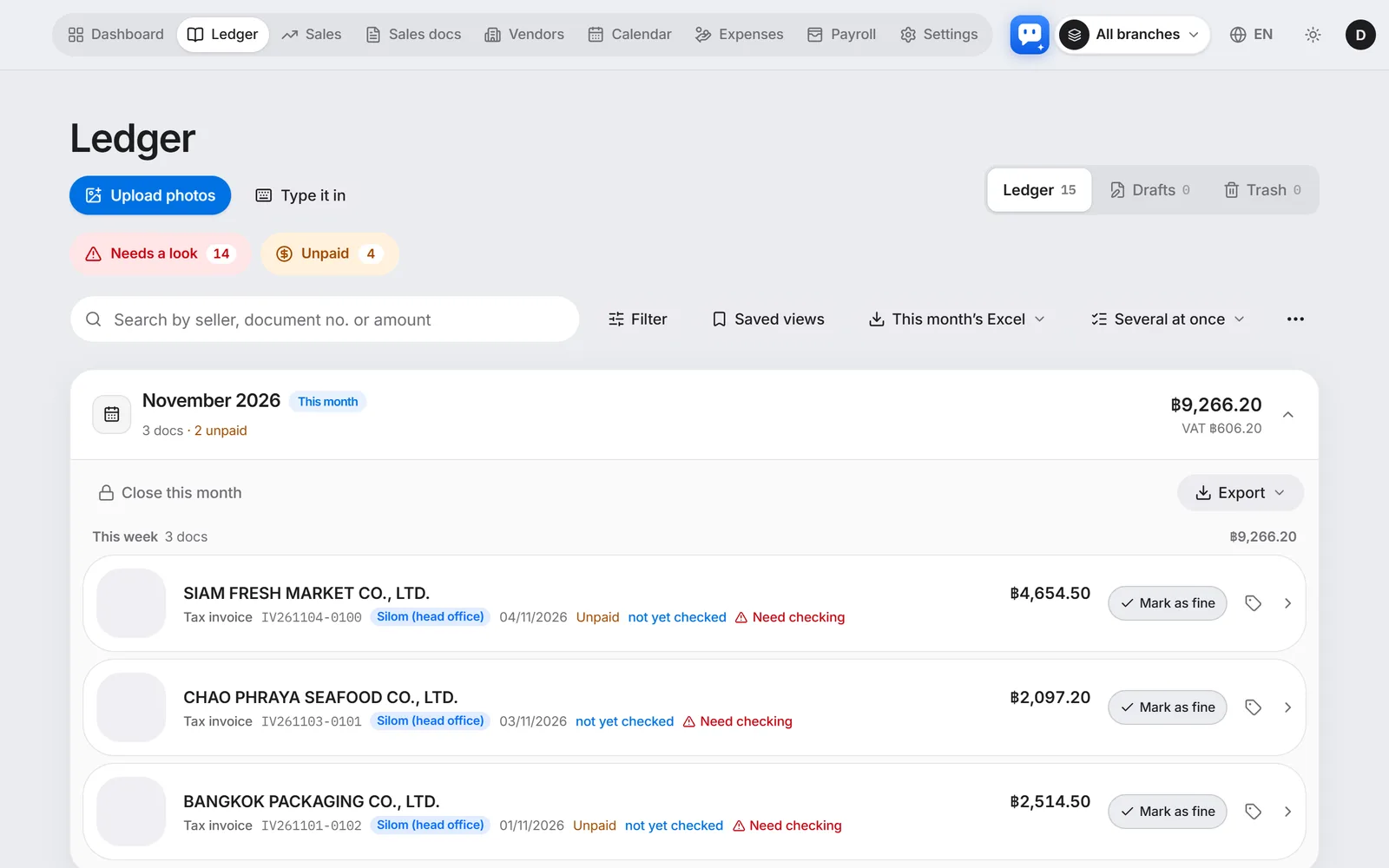
LedgerFrom Free

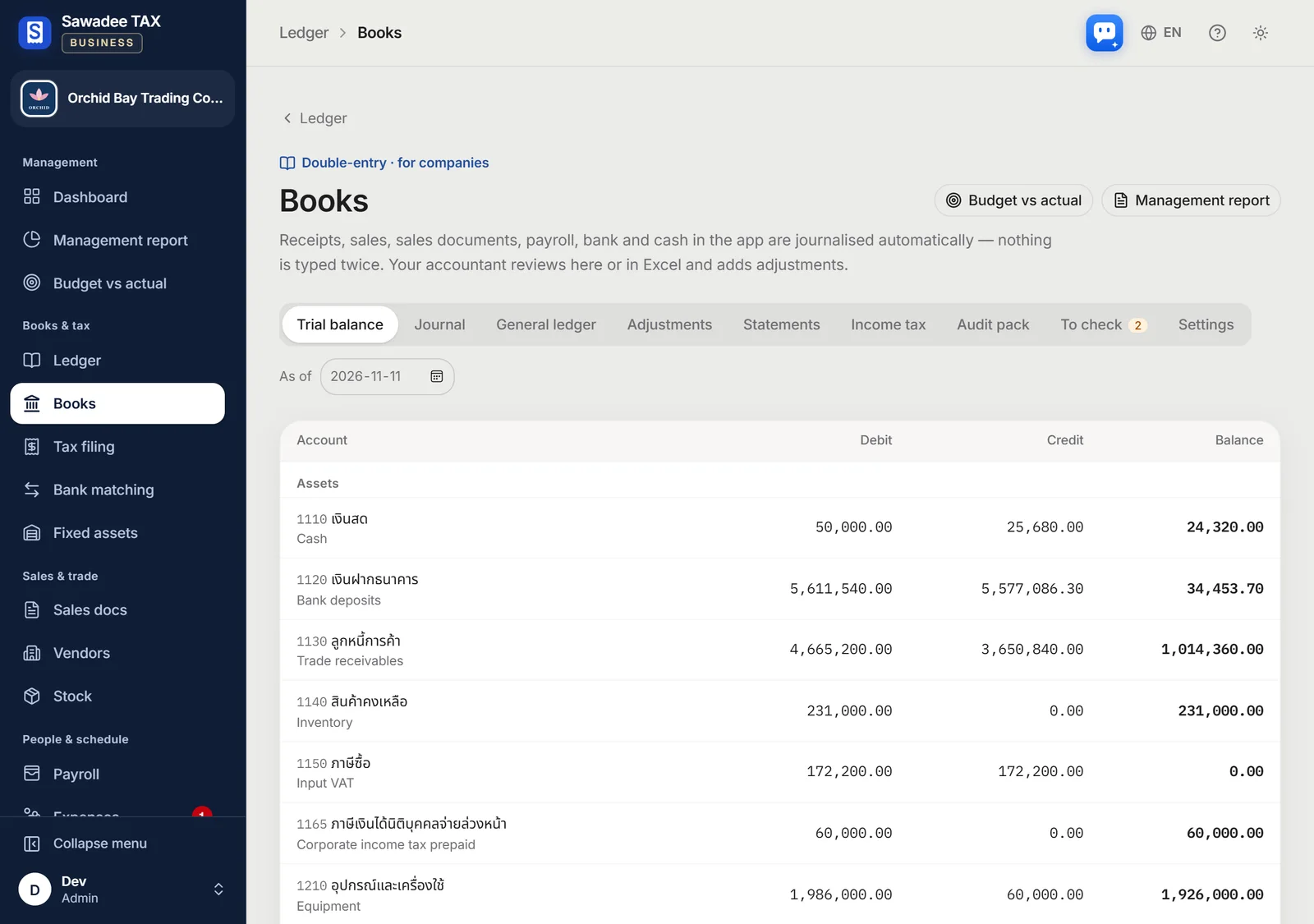
Ledger and VAT, done for you

Saved documents become a monthly ledger, with claimable input VAT, withholding lists and Excel files ready.

  • Purchase figures for the VAT return (ภ.พ.30)
  • Withholding lists for ภ.ง.ด.3 and ภ.ง.ด.53
  • Close a filed month so nothing changes
The monthly ledger

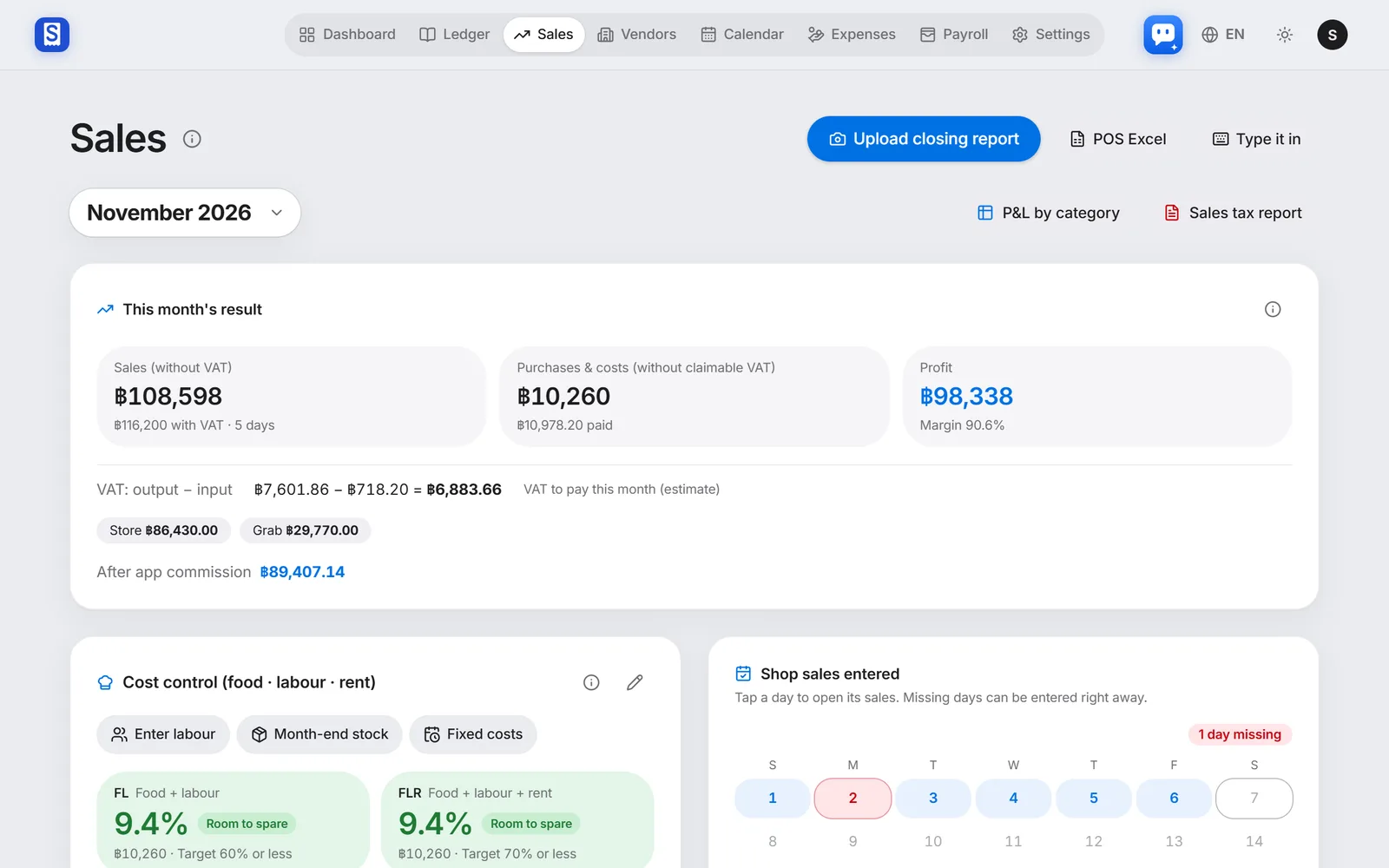
SalesFrom Basic

Sales and profit on one screen

Bring in POS closing reports or Excel and daily sales add up, shown with food cost, labour and rent as this month's profit.

  • By channel: shop, Grab, LINE MAN and more
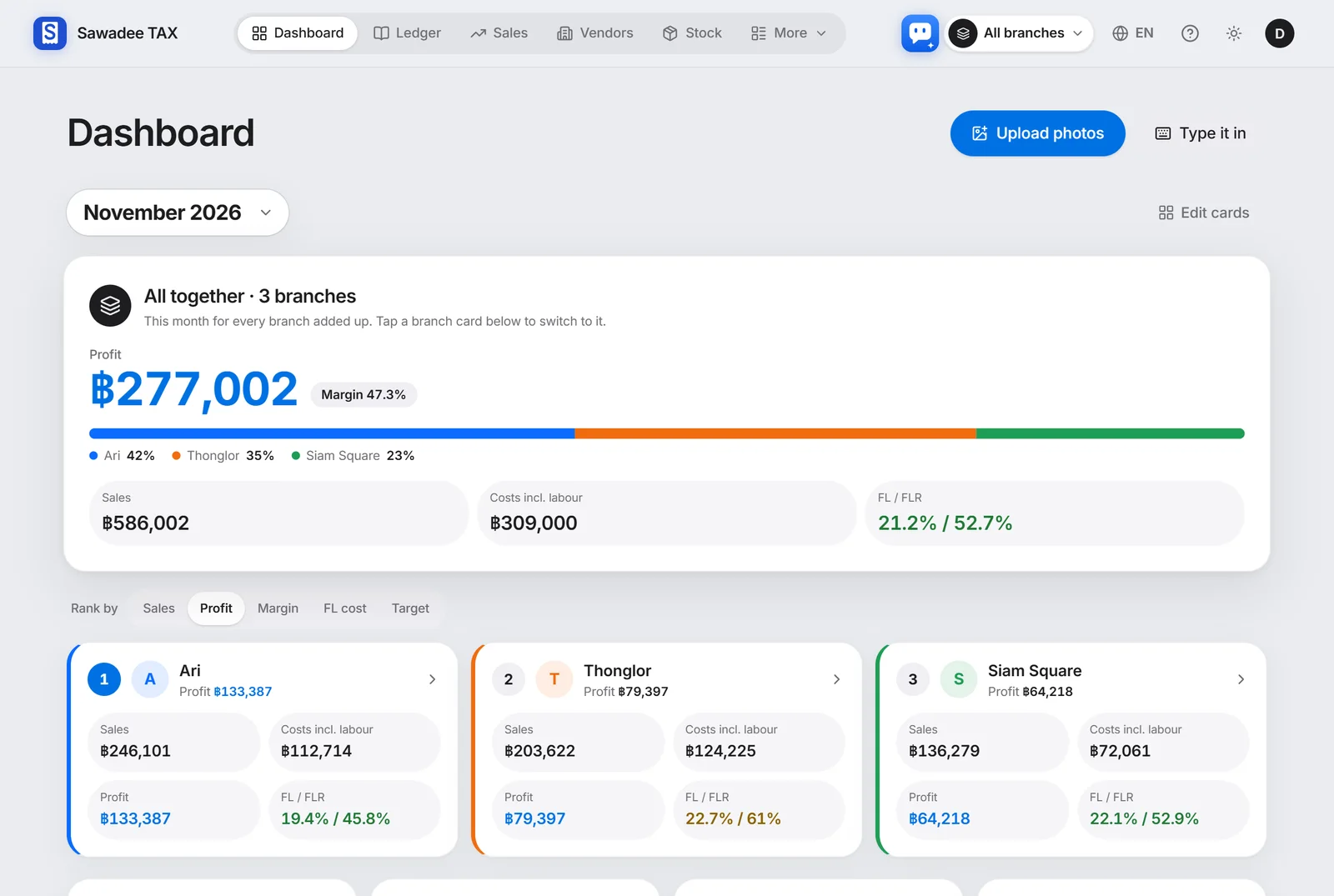
  • Branch comparison and break-even
  • POS Excel files can be sent by LINE too
The sales screen

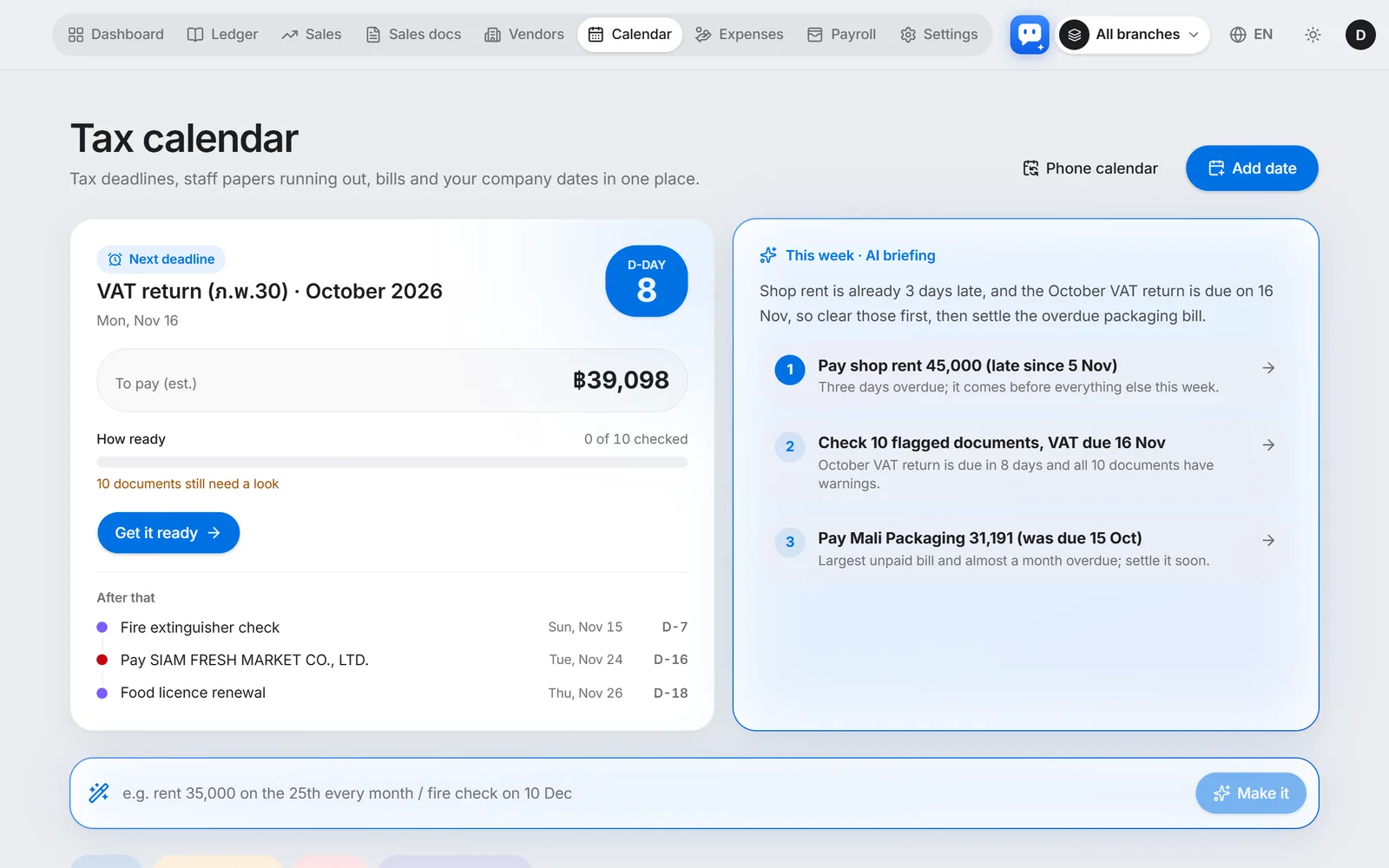
Tax calendarFrom Free

Never miss a tax deadline

VAT, withholding tax and social security dates worked out on Thai working days, with the expected amount and how ready you are.

  • Filings, bills due and staff papers on one calendar
  • AI finds the dates in a contract photo
  • Phone calendar link and LINE reminders
Tax calendar: the next deadline and the expected amount

2

Run it your way

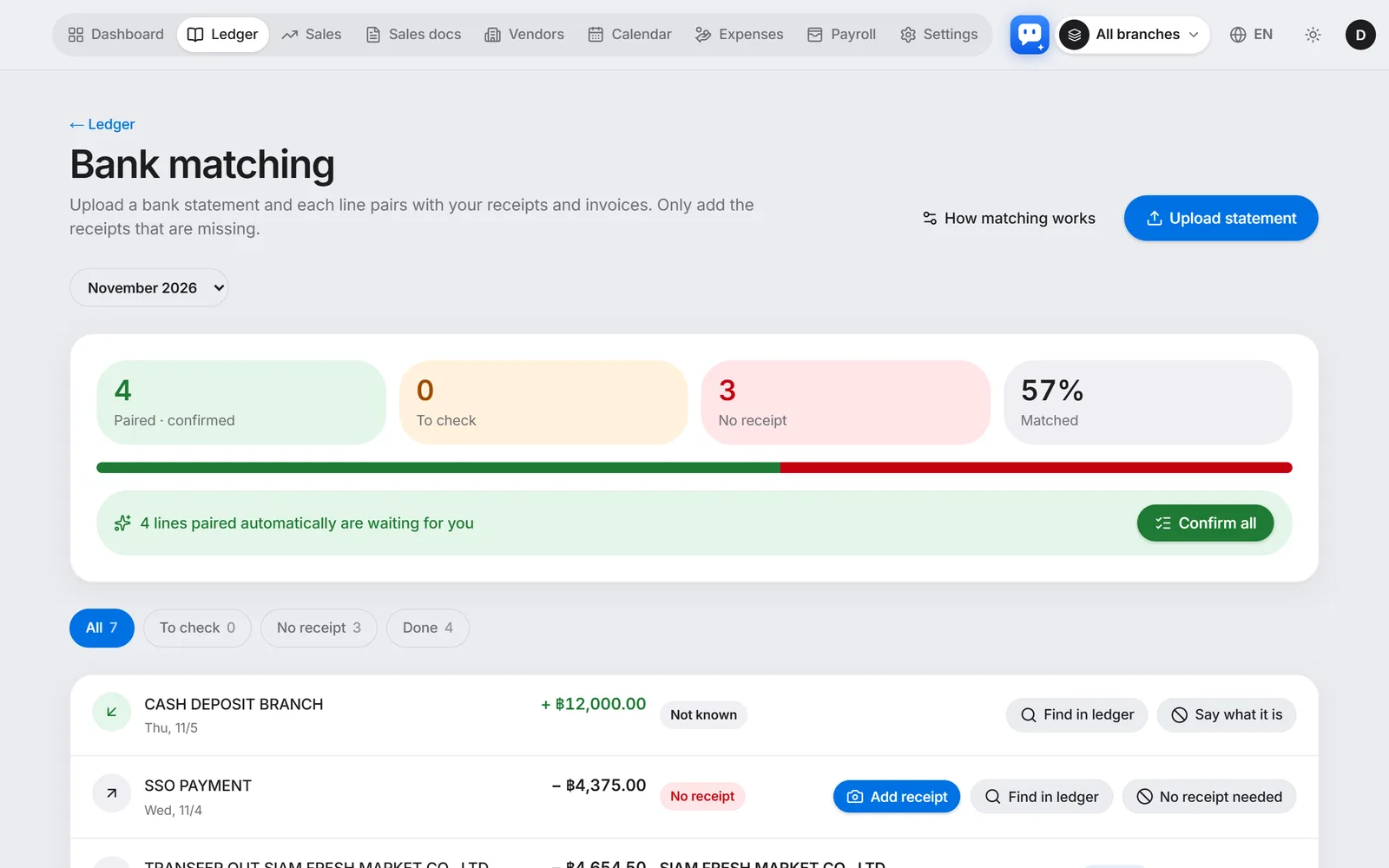
BankFrom Basic

Your bank account and books, matched

Upload a bank statement and each line is paired with the receipts and invoices in your books by amount, date and name. Only payments without a receipt are left for you.

  • Excel, CSV or PDF statements as they are
  • Rules sort repeating lines such as fees
  • Confirming marks the bill paid
Bank matching: statement lines paired with the books

Sales documentsFrom Basic

Quotations, invoices and tax invoices

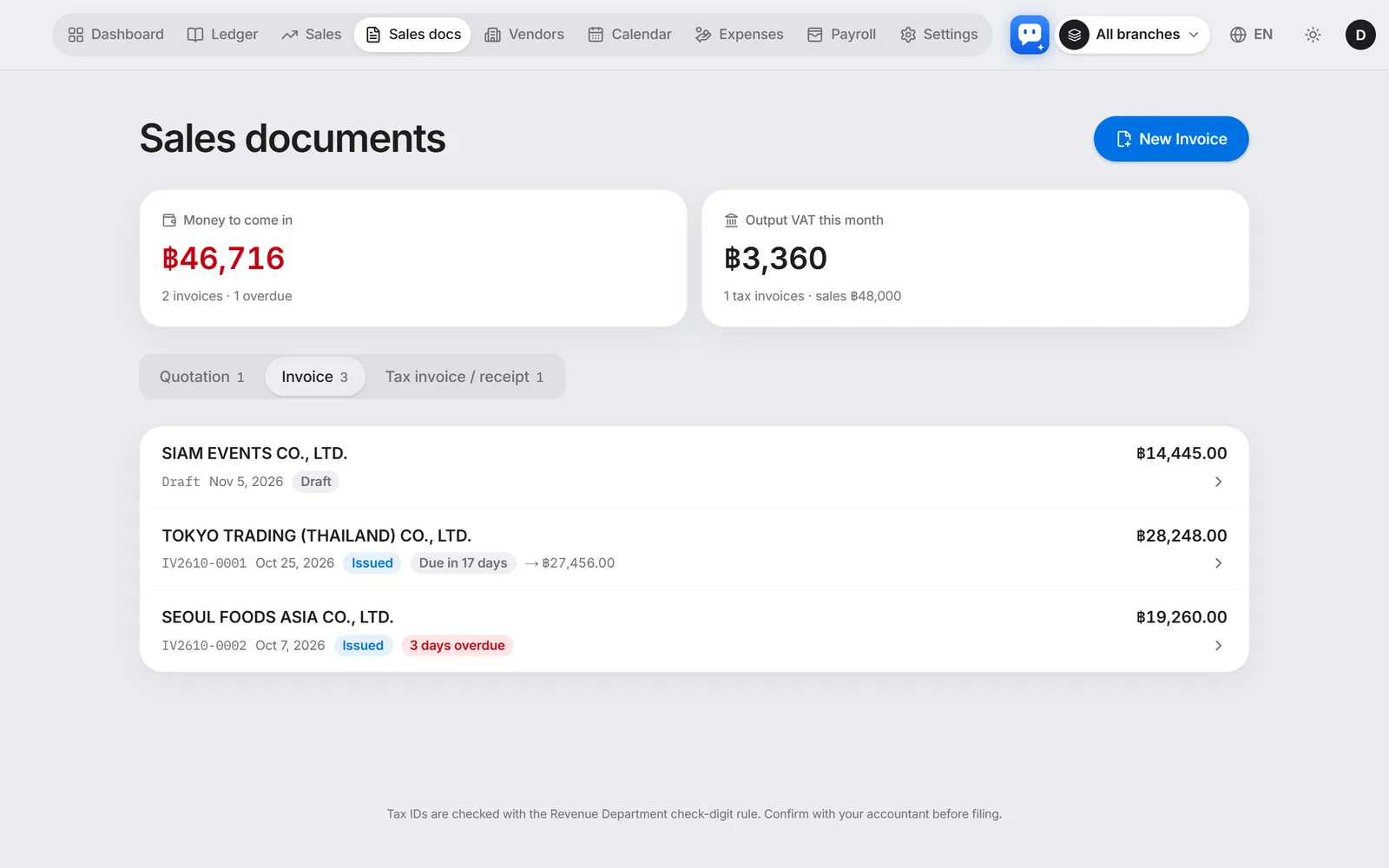
Quotation to invoice to receipt in one tap. Printed in Thai and your language, with money still to come in tracked for you.

  • Thai + English · Japanese · Korean · Chinese
  • PromptPay QR to get paid
  • Money to come in and overdue invoices at a glance
Sales documents and money to come in

SuppliersFrom Basic

Suppliers sort themselves

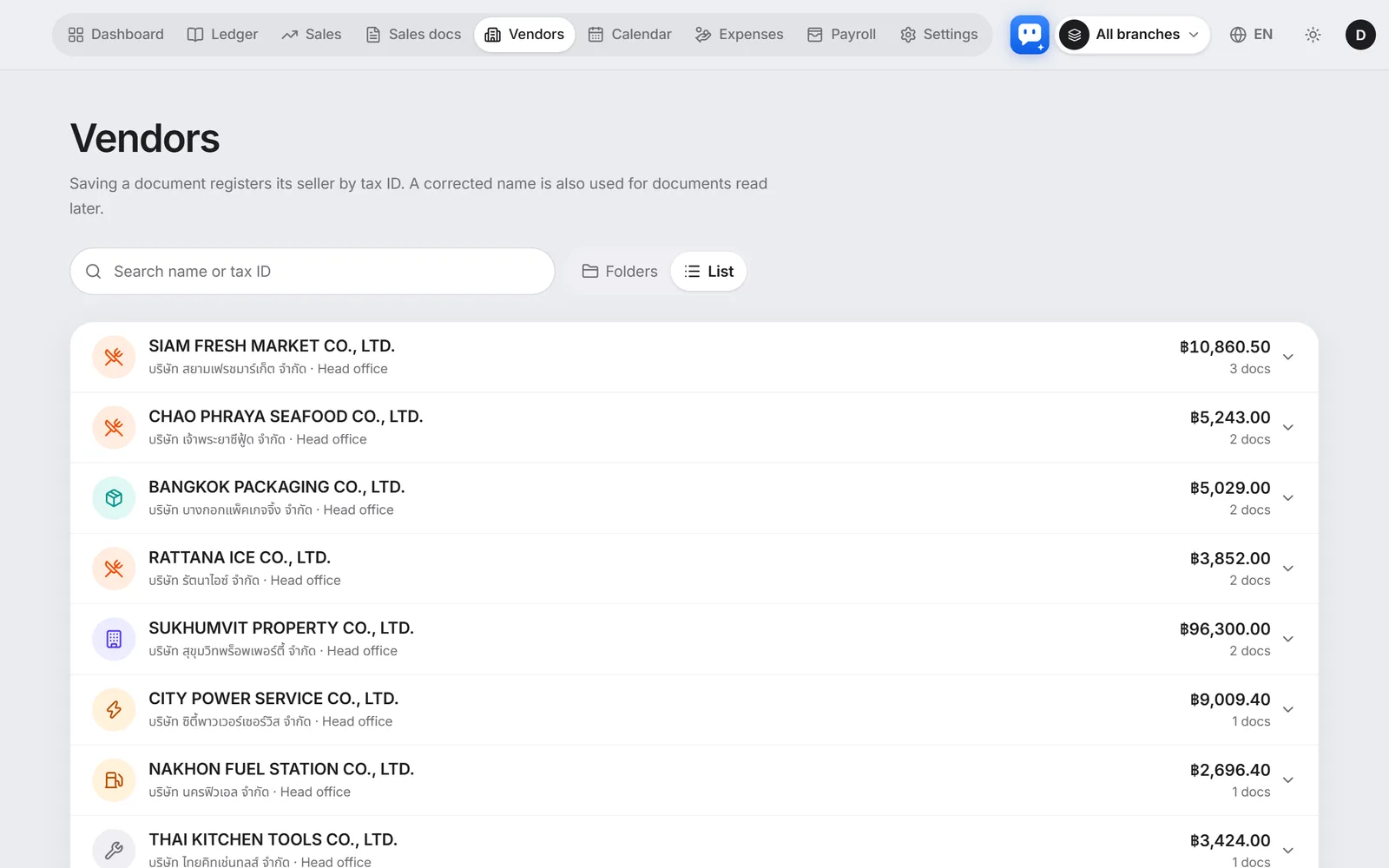
Save a document and the seller is added from its tax ID. See each supplier's totals and due dates at a glance.

  • Added from the tax ID
  • Totals and documents per supplier
  • Due-date alerts · transfer QR
Supplier list

PayrollFrom Basic

From payroll to the filing forms

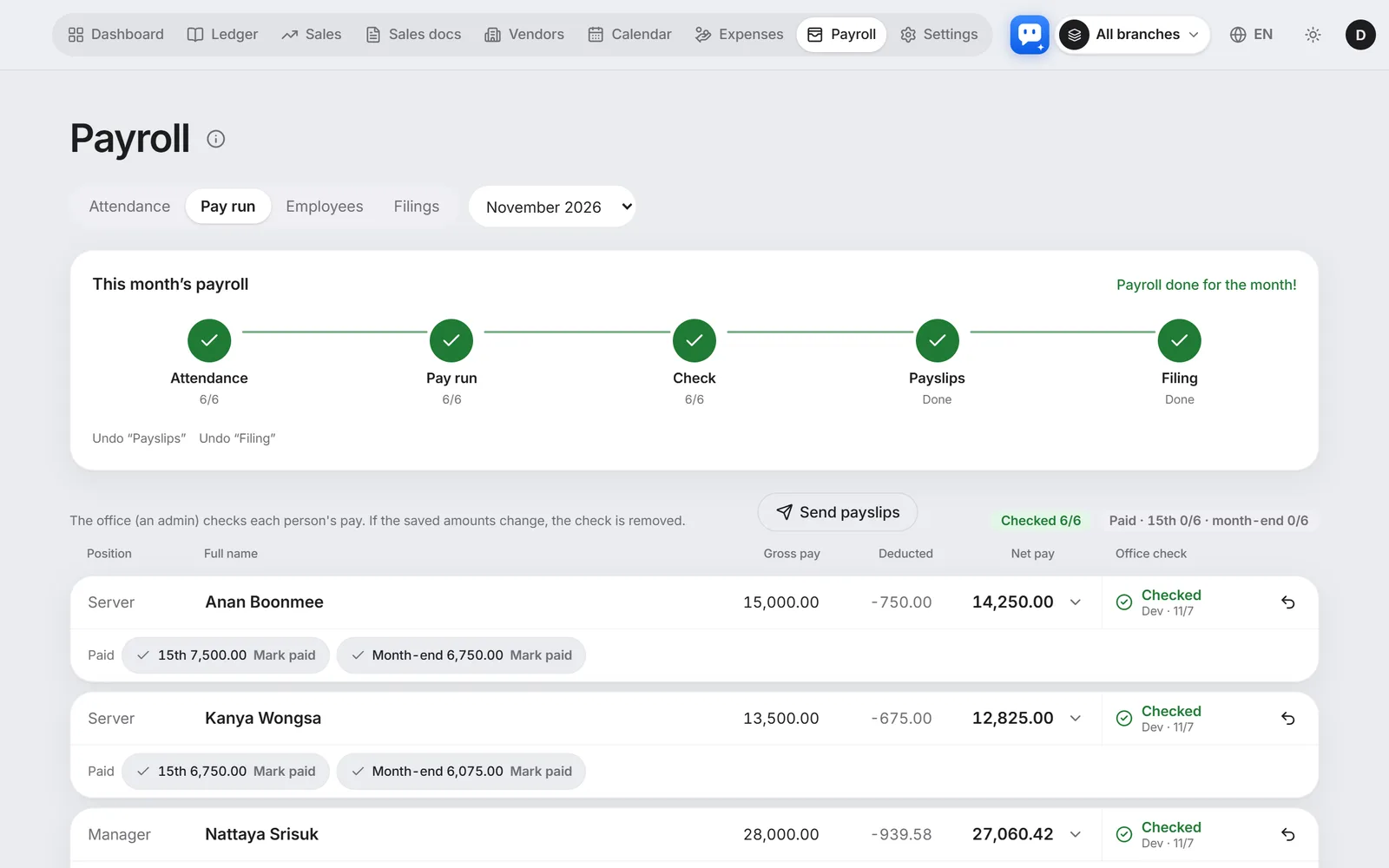
Work out pay for monthly and daily staff, with social security and withholding tax taken off the Thai way. Payslips and filing forms are ready at once.

  • Social security (สปส.) · ภ.ง.ด.1 worked out
  • Overtime and holiday pay at legal rates
  • Payslips by LINE
Payroll screen

Expense claimsFrom Basic

Staff expenses, claimed with one photo

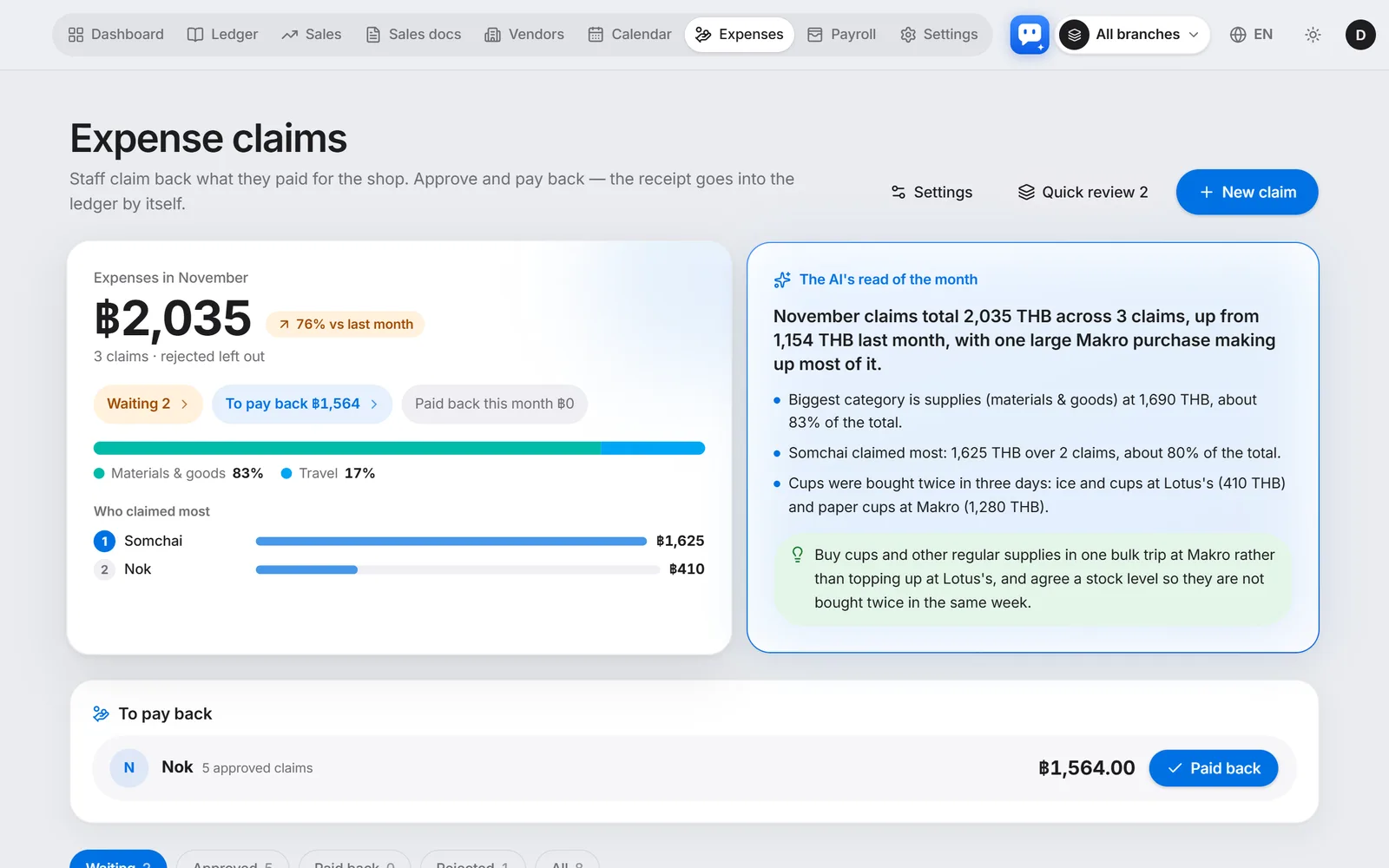
Staff snap the receipt and claim; managers approve in the app or on LINE, and paid-back claims go into the books by themselves.

  • Warns about the same receipt twice and personal spending
  • Small amounts approve themselves
  • Pay claims back with the salary
Expense claims: this month and claims waiting

The figures are the made-up demo shop's books, not a real customer's. What the AI reads, and the VAT and withholding figures, help you prepare your books and a filing. They do not replace your accountant. Compare them with the original before you save or file.

An AI assistant that tells you first

The program works out the numbers exactly; the AI puts them into plain words.

  • Reports on LINE

    Every few days a card with sales, profit and spending that stands out, and at month end a link with the files for your accountant. Receipt photos sent on LINE go into the books too.

  • Ask in the app

    Ask “why did ingredients cost more this month?” and it answers from your own books. Questions a month: Free 30 · Basic 300 · Premium 1,000 · Business 2,000.

  • From Premium

    AI check before filing

    Tap ‘Check before filing’ on the VAT or WHT return and the program searches your books for the usual mistakes — tax invoices with a wrong tax ID, documents entered twice, months not closed — and the AI sums them up in a few lines.

  • From Business

    Letters and contracts explained by AI

    Upload a Revenue Department letter or a contract as a photo or PDF: what it asks for, deadlines, amounts, risks and next steps, in plain words. Thai documents are fine, and a deadline goes into your calendar with one tap.

And also

  • Foreign-currency receiptsReceipts in yen, won, dollars and more are saved in baht at an official rate (Bank of Thailand / European Central Bank), with the printed amount kept.
  • Excel and your accountantDownload each month as your accountant's Excel and a photo bundle, or share a link.
  • Five languagesEnglish, Japanese, Korean, Chinese and Thai. Each person uses their own language.
  • Branches and staff rightsBooks per branch, and staff see only their own work. On the Business plan you make your own roles.

Send one photoand the books are done

Set up for your kind of business

Pick your business type when you sign up and only the screens you need are switched on. Turn screens on or off any time.

Pricing

Every new company tries it free for 14 days — individuals and ordinary businesses on Premium, companies on Business (with 50 AI readings and 50 assistant questions during the trial). Then choose a plan.

  • Free

    A small shop trying it alone

    THB 0/ month

    Start free
    AI readings / month
    10
    AI assistant questions (month)
    30
    Branches
    1
    Users
    1
  • Basic

    One shop with many receipts each month

    THB 790/ month

    THB 7,900 a year (2 months free)

    Start free trial
    AI readings / month
    200
    AI assistant questions (month)
    300
    Branches
    2
    Users
    5

    Everything in Free, plus

  • 14-day free trial

    Premium

    Companies with staff and branches

    THB 2,290/ month

    THB 22,900 a year (2 months free)

    Start free trial
    AI readings / month
    600
    AI assistant questions (month)
    1,000
    Branches
    10
    Users
    30

    Everything in Basic, plus

  • For companies

    Business

    Companies: books to financial statements

    THB 4,990/ month

    THB 49,900 a year (2 months free)

    Start free trial
    AI readings / month
    1,000
    AI assistant questions (month)
    2,000
    Branches
    20
    Users
    50

    Everything in Premium, plus

See pricing details

Questions

What happens when the trial ends?

After 14 days you move to the Free plan automatically. Nothing is charged until you pay, and your data stays.

How many questions can I ask the AI assistant?

Per month: Free 30, Basic 300, Premium 1,000, Business 2,000. The count starts again on the 1st of each month. During the free trial you have 50 for the whole trial. When they are used up, wait for the next month or move to a bigger plan to ask more right away.

What documents can it read?

Photos and PDFs of Thai tax invoices, receipts and simple receipts (including e-Tax Invoices). A photo with several receipts is split and read one by one.

Which languages can we use?

Japanese, Korean, Simplified Chinese, Thai and English. People in the same company can each use their own language.

Do you file our taxes?

We prepare what filing needs (input VAT, withholding lists, payroll figures). The filing itself is done by your accountant or you.

Can our accountant use it too?

Yes. Invite them as a user, or use 'Send to the accountant' to send the month's books as a link by LINE or mail — you hear when they open it. You can also download Excel plus a photo bundle and hand it over.

Can I cancel any time?

Yes. You move to Free from the next billing date and can download your data as Excel.

How can I pay?

Credit and debit cards first. PromptPay, LINE Pay and KakaoPay are on the way.

Is my data safe?

Each company's data is fully separate and no other company can see it. All connections are encrypted.

Snap the receipt.Your books are done.

14-day free trial (Premium; Business for companies) · no card required

Look around, no sign-upStart for free