
Business plan · company books sample
Company books, as they really look
Keep adding receipts, sales documents, payroll and bank records, and the app makes the journal, statements, corporate tax, VAT return figures, the AI CFO comment and the management report. These screens come from ten months of a trading company's books.
- journal entries made by the app
- 230
- entries typed by hand
- 0
- returns: ภ.พ.30 · ภ.ง.ด.51 · ภ.ง.ด.50
- 3
Screens of the sample company Orchid Bay Trading (January–October 2026). Company and supplier names are examples.
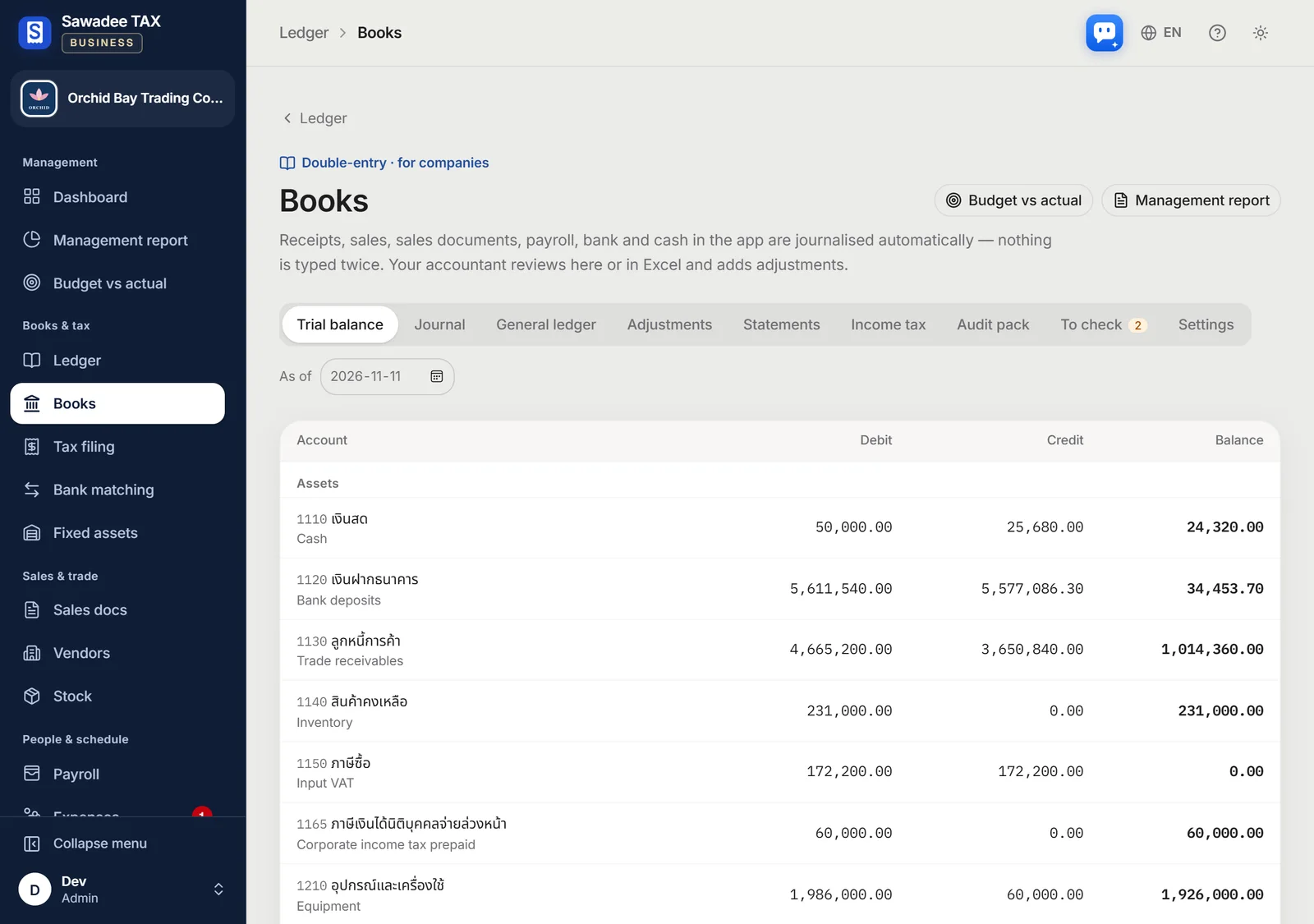
What changes in your company books
Books without writing journal entries
As receipts, sales documents, payroll and bank lines come in, the double-entry journal is written for you.
Return figures in the form's order
VAT, withholding and corporate tax figures come in the order of each form's lines: just copy them over.
The same screens as your accountant
Look at the trial balance, ledgers and statements together, and hand over the 14-sheet audit Excel in one go.
Time you could save (estimate)
86%less time
About 44 hours by hand, about 6.3 hours with the app
Ten months of bookkeeping for the sample company above, done in a spreadsheet by a bookkeeper, compared with checking what the app made.
| Work | By hand | App | Saved |
|---|---|---|---|
| Journal entries230 × 3 min → 82 documents checked × 1 min | 11.5 h | 1.4 h | 88% |
| Monthly VAT return figures10 months × 60 min → checked × 10 min | 10 h | 1.7 h | 83% |
| Withholding and social security figures10 months × 30 min → checked × 5 min | 5 h | 0.8 h | 83% |
| Matching bank lines46 × 2 min → × 30 s | 1.5 h | 0.4 h | 75% |
| Statements and corporate tax16 h of closing work → 2 h review | 16 h | 2 h | 88% |
| Total | 44 h | 6.3 h | 86% |
An estimate. Minutes per item assume usual bookkeeping work and vary by company and person. Time for filing and the audit itself is not included.
Key indicators · AI CFO · cash forecast
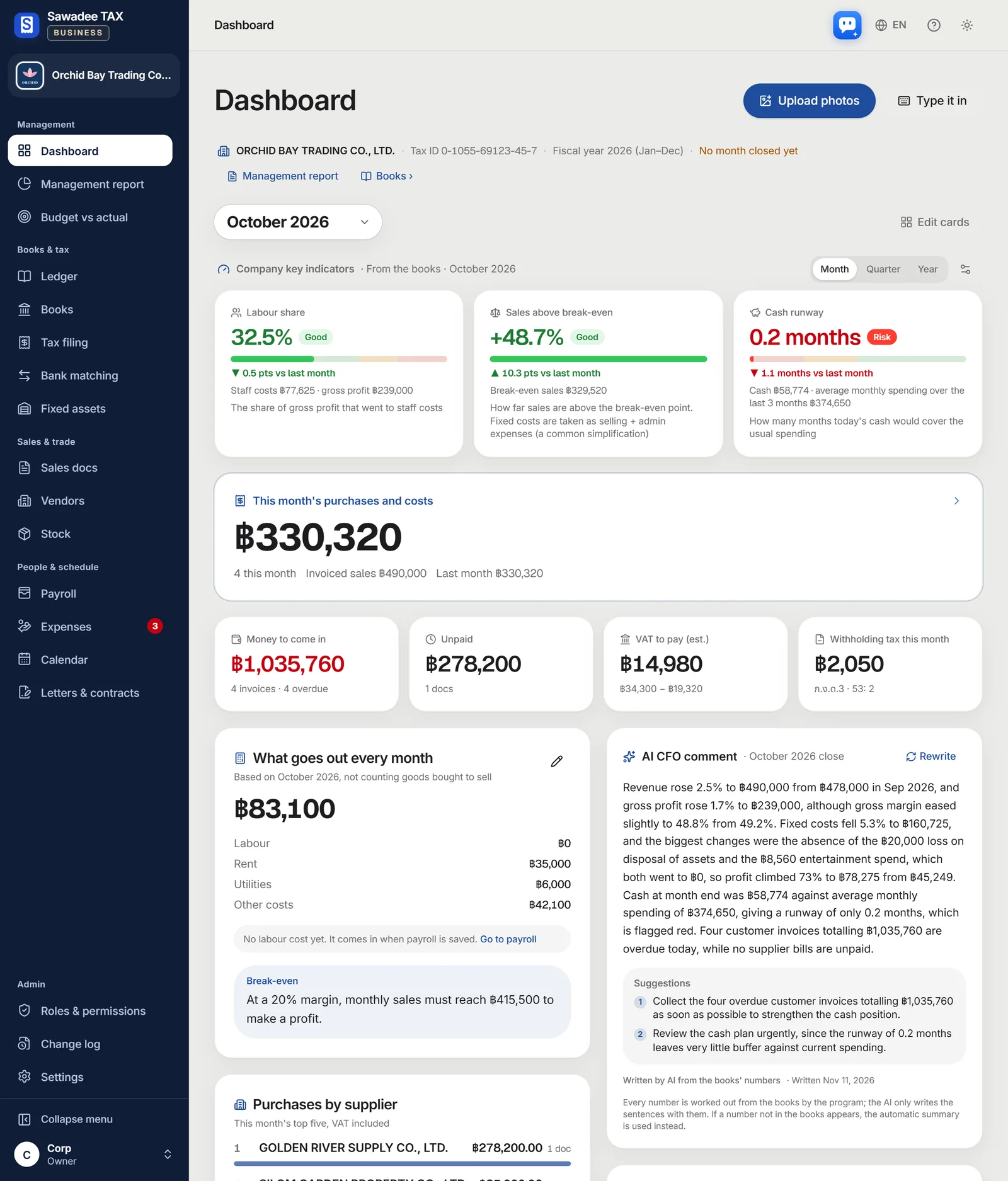
The state of the company on the first screen
When the owner opens the app, the company key indicators, the AI CFO comment and the 90-day cash forecast come first — all worked out from the automatic journal.
- Labour share, sales above break-even and months of cash in traffic-light colours (month · quarter · year)
- AI CFO comment: compares the last finished month and suggests what to do first
- 90-day cash forecast: see early the day cash would fall below the safety line
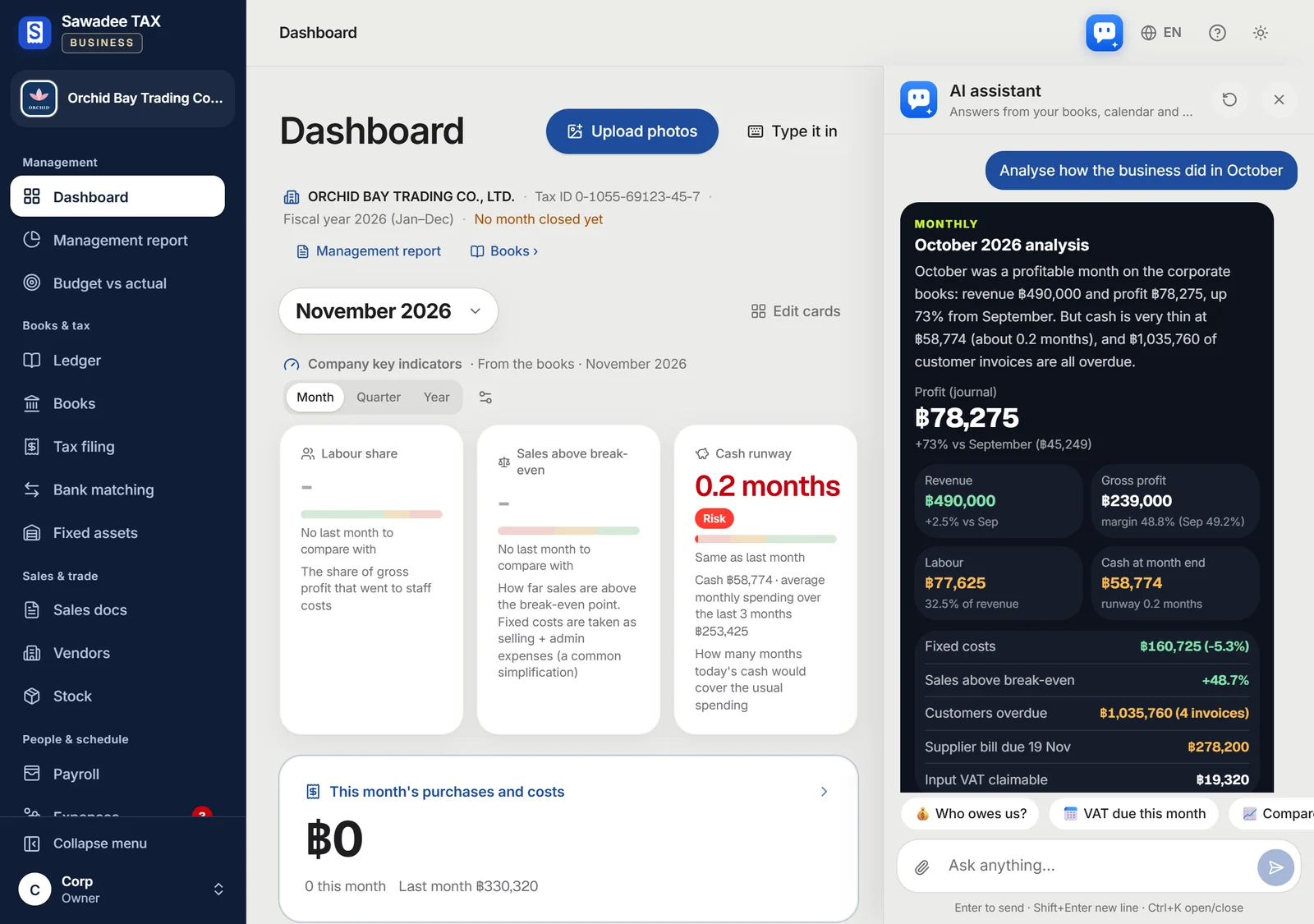
AI assistant
Ask the AI assistant for an analysis
Ask the in-app AI assistant “Analyse how the business did in October” and it reads the company's books and the accounting journal to answer: sales, profit, cash and the key indicators against the month before, and invoices past their due date.
- Answers with the figures in your books
- Ask in Korean, Japanese, Chinese, Thai or English
- Each plan has a number of questions a month
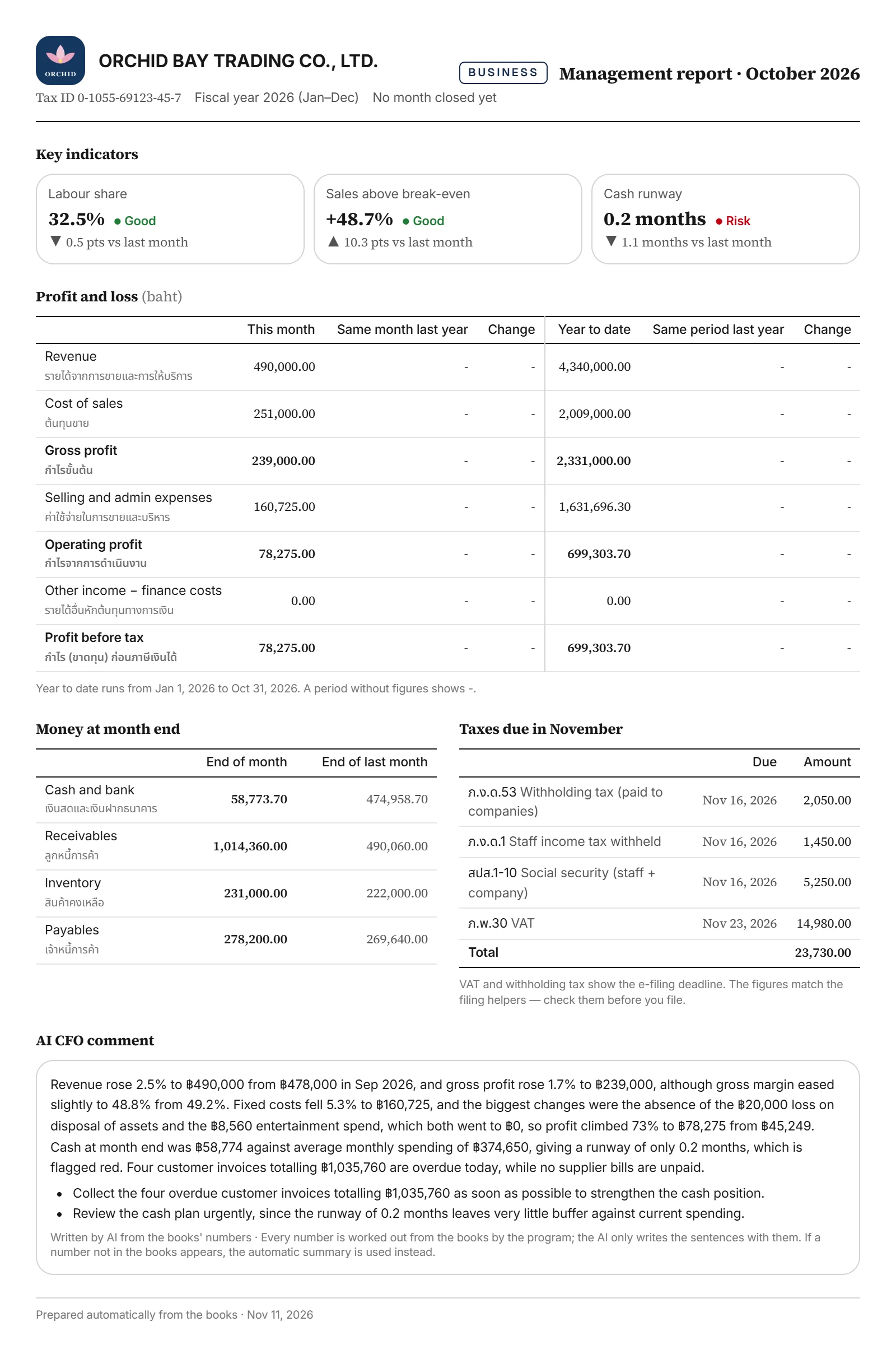
Monthly management report
The month on one A4 page
Every month a management report from the books. Print it or save it as a PDF to share with shareholders or your accountant.
- Key indicators and profit and loss for the month and the year to date (against last year)
- Cash, receivables, stock and payables at month end, and the taxes due next month
- The AI CFO comment and your company logo
Budget vs actual
Your budget beside the actual figures
Set a monthly budget per income-statement line or account and compare it with the automatic journal. Costs over budget and sales short of it turn red.
- Compare by month, quarter to date or year to date
- Fill fast: copy last year's actual, same every month, or spread a year total
- Print it for the meeting

งบการเงิน · Financial statements
Keep the records, get the statements
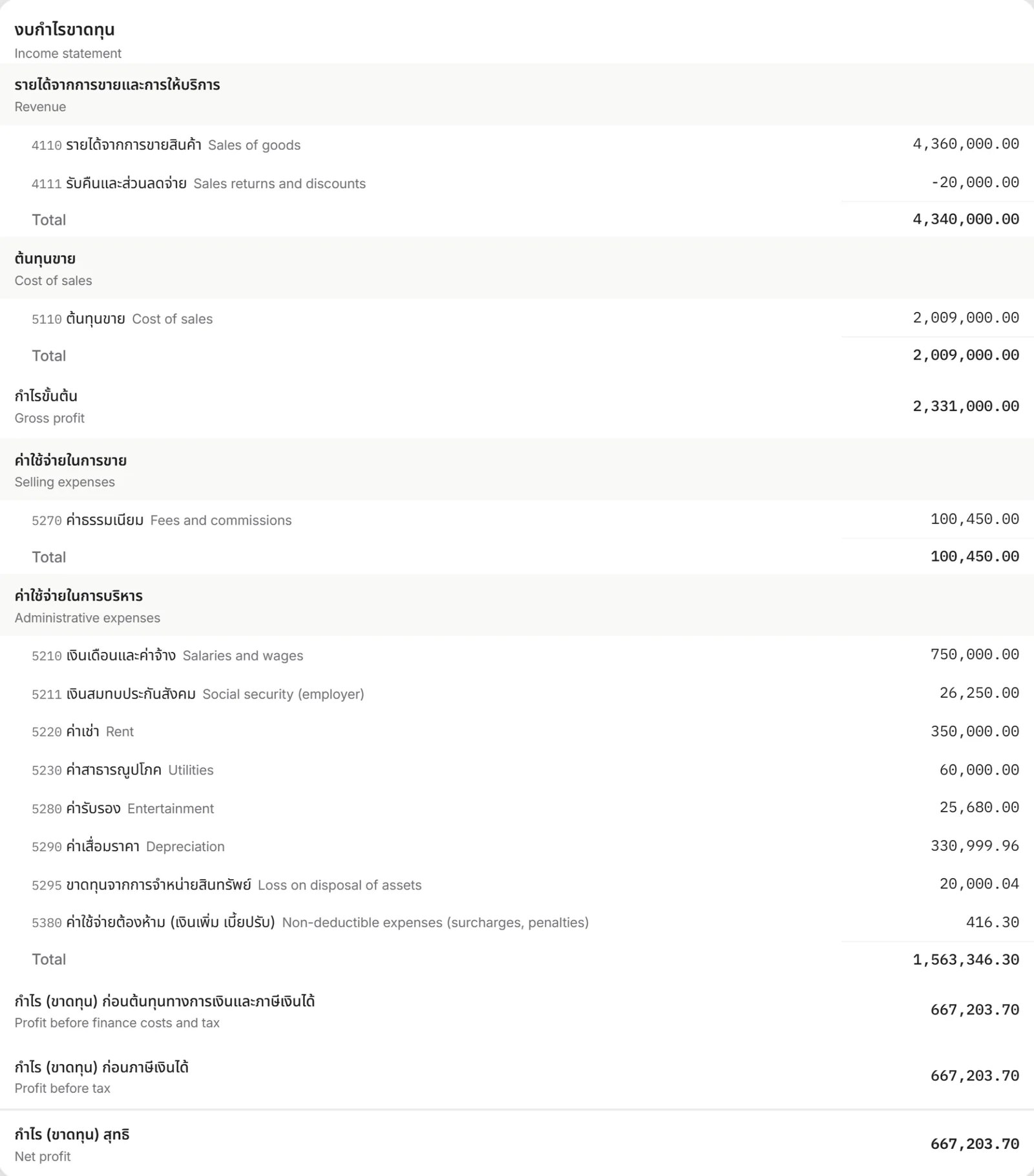
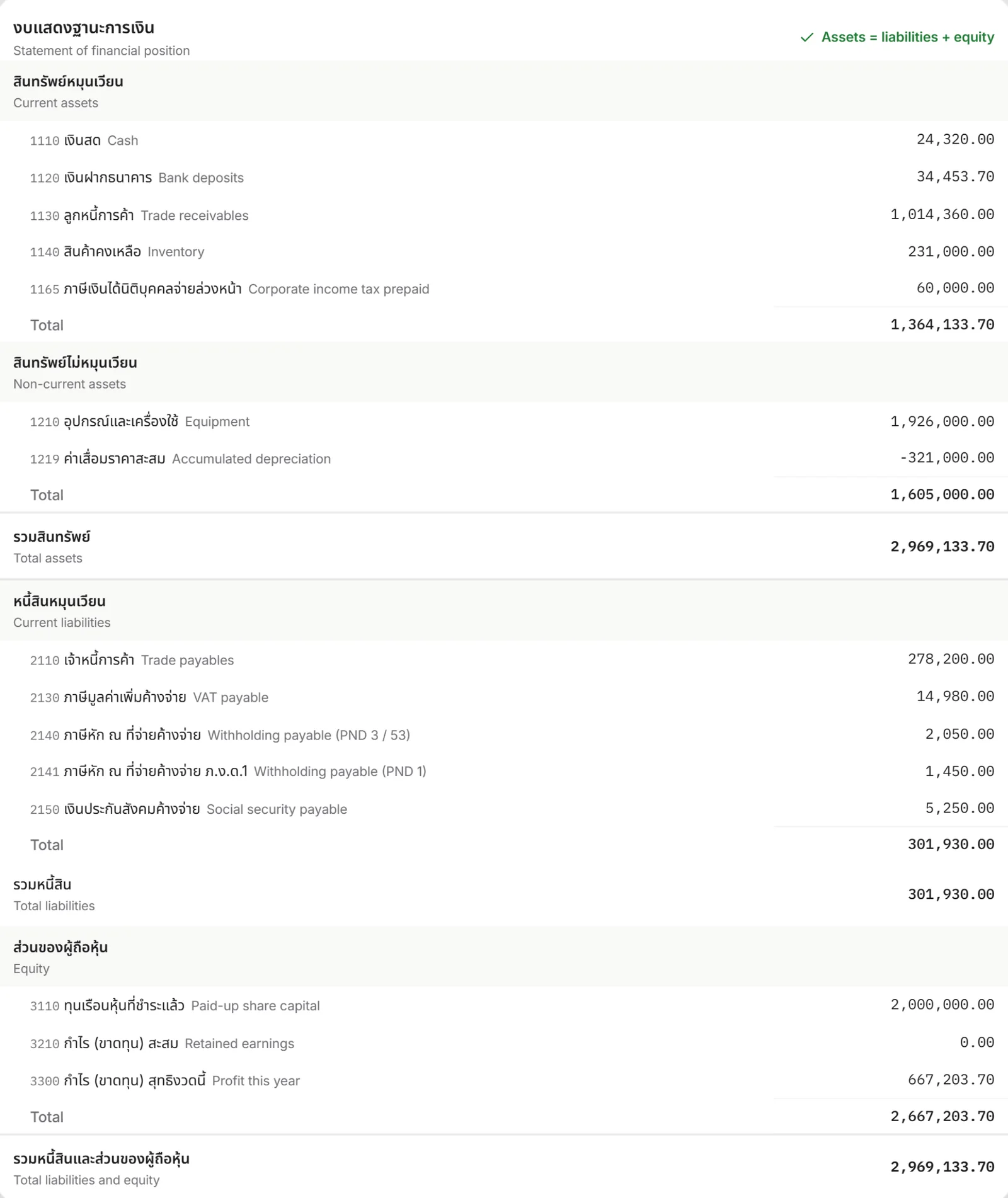
Income statement, balance sheet, changes in equity and the cash-flow statement in the order of the Thai DBD layout. Whether assets equal liabilities plus equity, and whether the cash flow ends on the balance sheet's cash, shows right on the screen.
- Accounts in the order of Thai TFRS for NPAEs
- Thai account names with your language beside them
- A 14-sheet Excel pack for the auditor in one download
ภ.ง.ด.51 · ภ.ง.ด.50
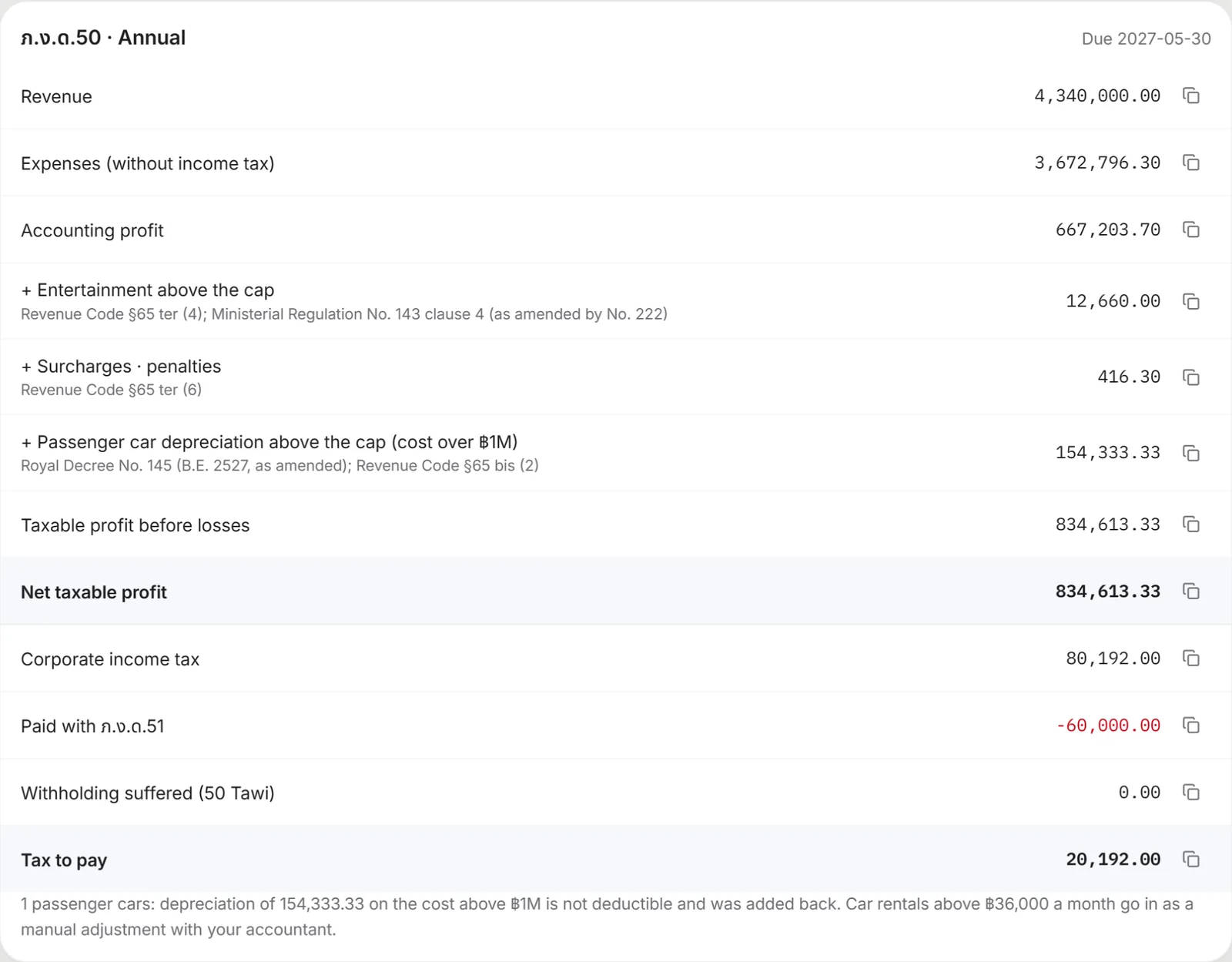
Corporate tax figures, with the law behind them
From accounting profit through the tax adjustments to the tax to pay, step by step. Every adjustment names its section of the Thai Revenue Code.
- Entertainment cap, surcharges and the passenger car depreciation cap adjusted for you
- SME rate test and the half-year payment worked out
- A copy button on every figure for the filing screen
ภ.พ.30
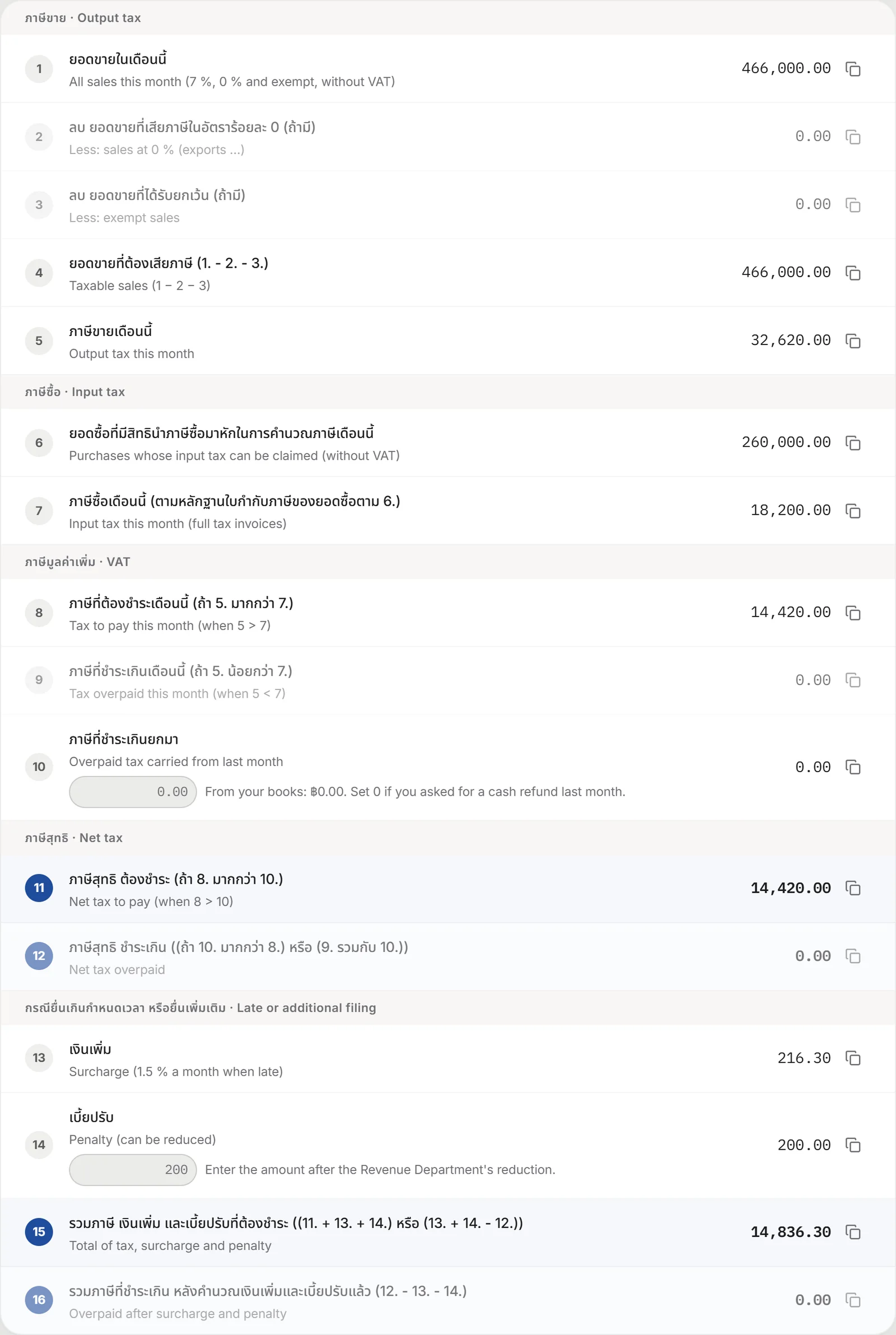
The VAT return, all 16 lines
Figures in the order of the Revenue Department's form. A late month gets its surcharge and penalty, and once you save the return as filed, the next month and the books follow it.
- Output and input VAT, and what carries in from last month
- Cash refunds and late filing included
- Copied in the format e-Filing takes
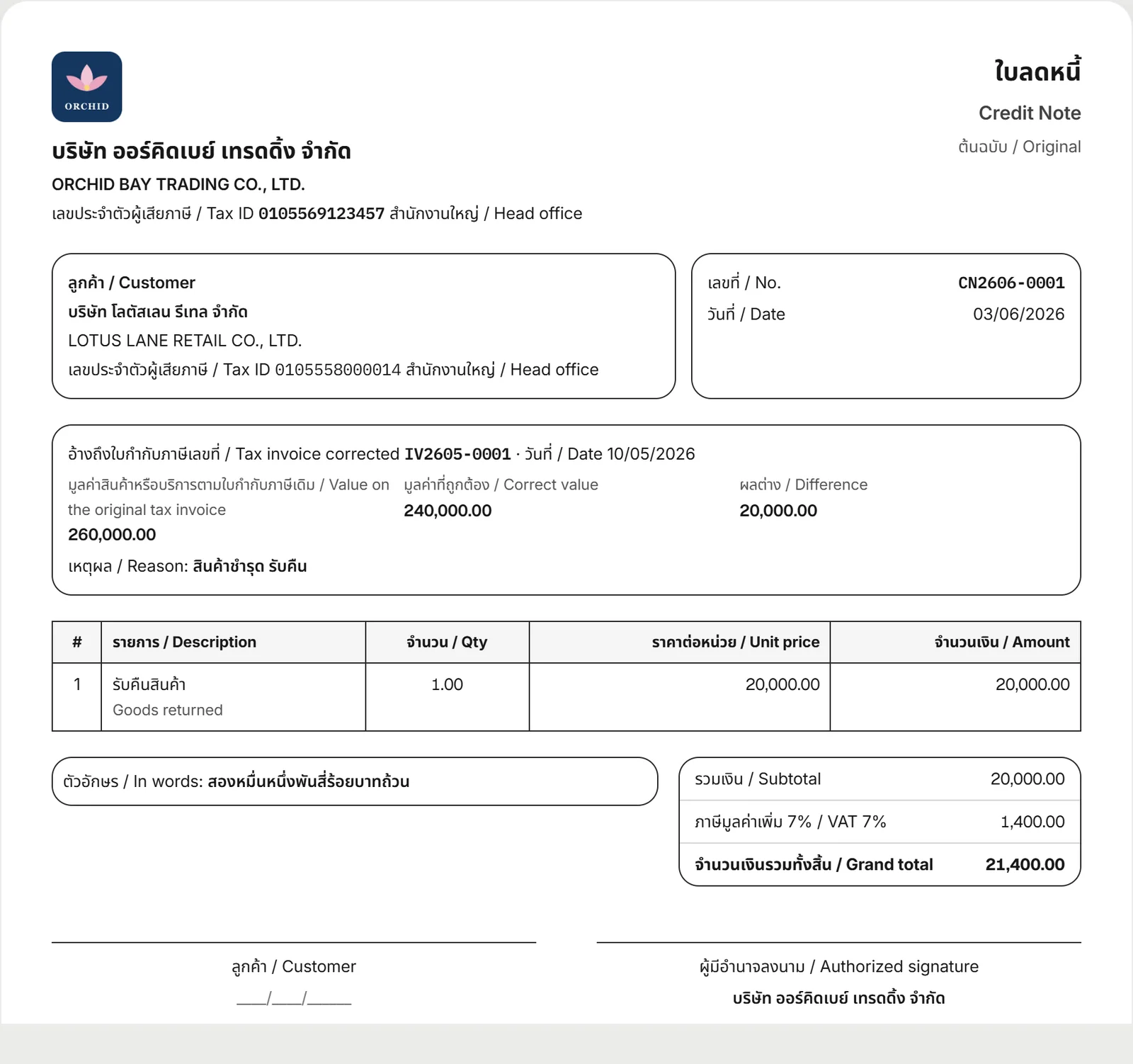
ใบลดหนี้ · ใบเพิ่มหนี้
Returns and discounts take a credit note
An issued tax invoice is never edited: a credit or debit note corrects it, printed with what the law asks for: the original number and value, the correct value, the difference and the reason.
- CN / DN numbers given for you
- Printed in Thai and your customer's language
- Goes into the VAT return and the books by itself
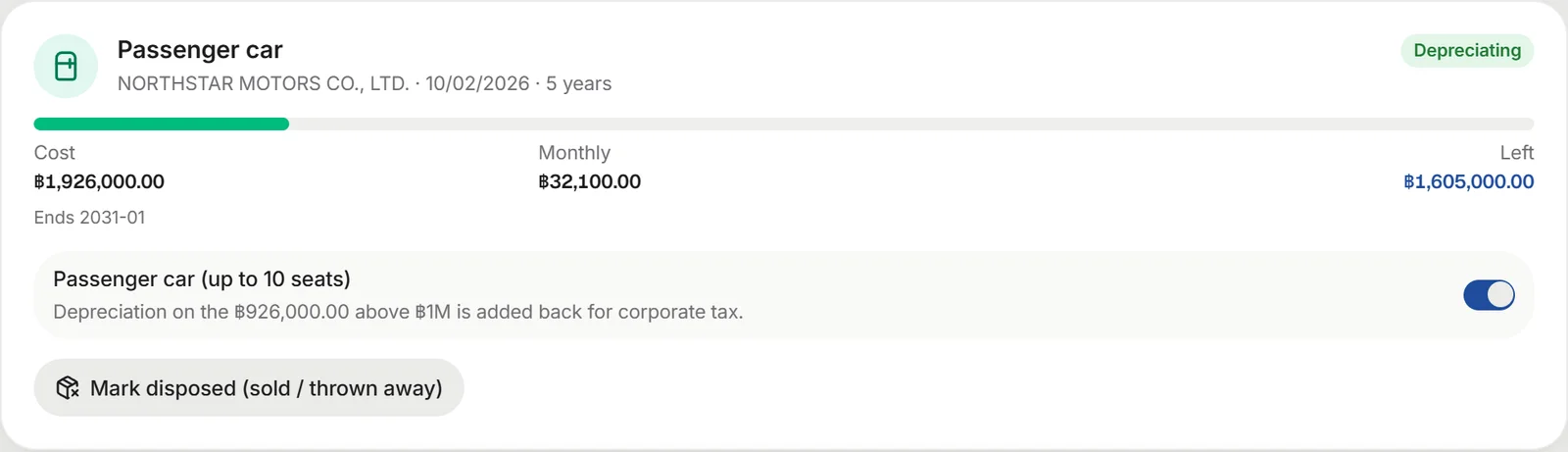
Equipment list
The passenger car cap, handled
Equipment is spread over the months from its purchase. Mark a passenger car and corporate tax adds back the depreciation on the cost above ฿1M. For equipment you sold, enter the price and the gain or loss and the VAT are booked.
- Straight-line depreciation worked out
- Tax adjustment for the ฿1M passenger car cap
- Gain or loss on disposal and its VAT booked
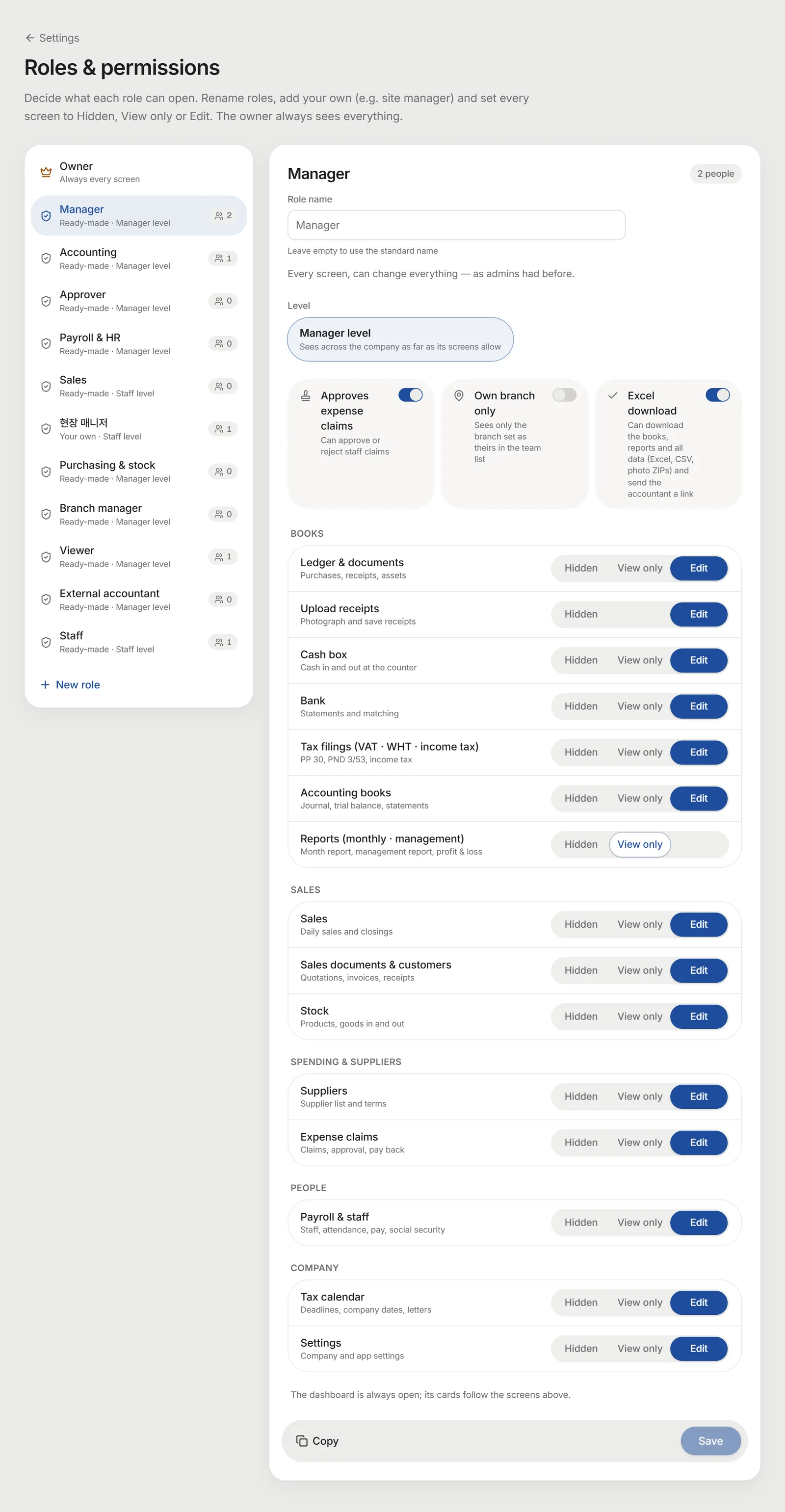
Roles and permissions · expense approval
The owner decides who sees what
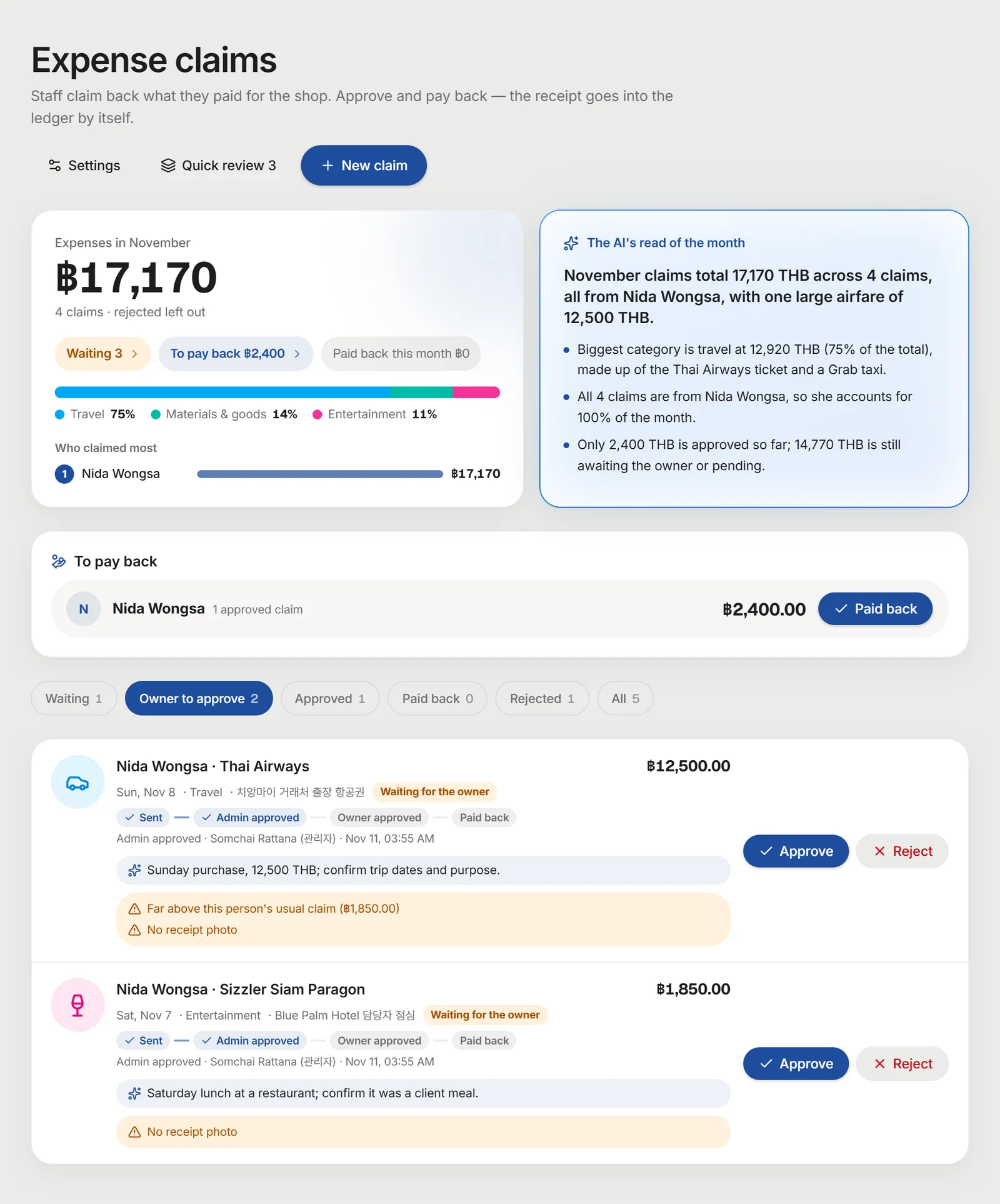
Use ready roles — accountant, approver, branch manager, viewer, outside accountant — or make a new one, and set each screen to hidden, view only or edit. Staff expense claims are approved by an admin, then by the owner.
- Excel download, expense approval and own branch only, switched per role
- Exceptions for one person
- Set the amount that needs the owner; approval cards come on LINE
Ready for the audit
Who changed what, and when
Changes to receipts, sales documents, adjusting entries, expense claims, payroll, month closing, the team and permissions and company settings are recorded by themselves. Nobody — not even the owner — can edit or delete the record.
- Find by person, kind and date
- Values before → after, as they were
- Download as CSV for the auditor

Your company's books, like this
Add receipt photos and sales documents and these screens fill with your own figures. Available on the Business plan.
Figures worked out by the app from your records. File and audit with a licensed Thai accountant.