
Restaurant · café sample
Restaurant and café books, as they really look
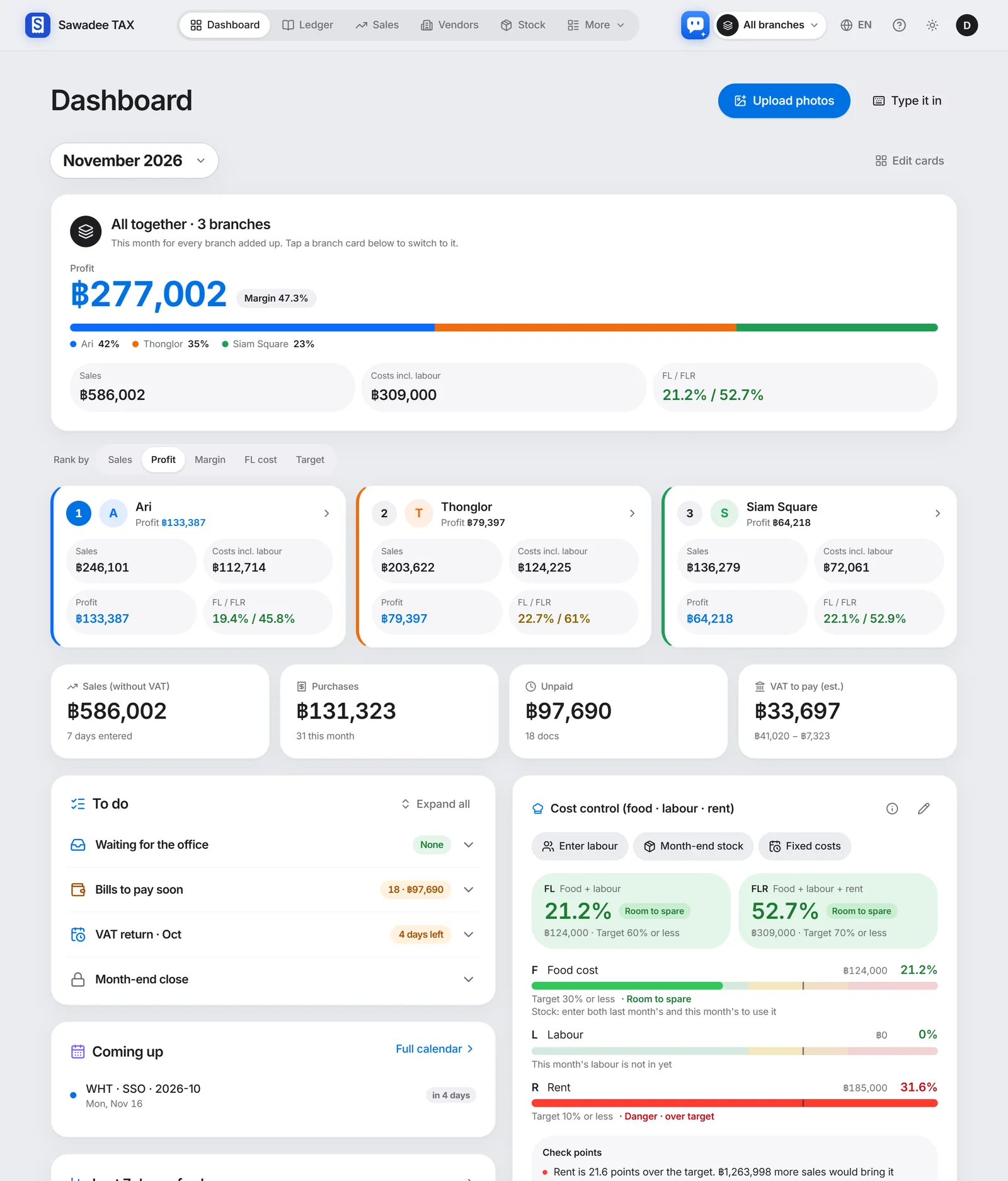
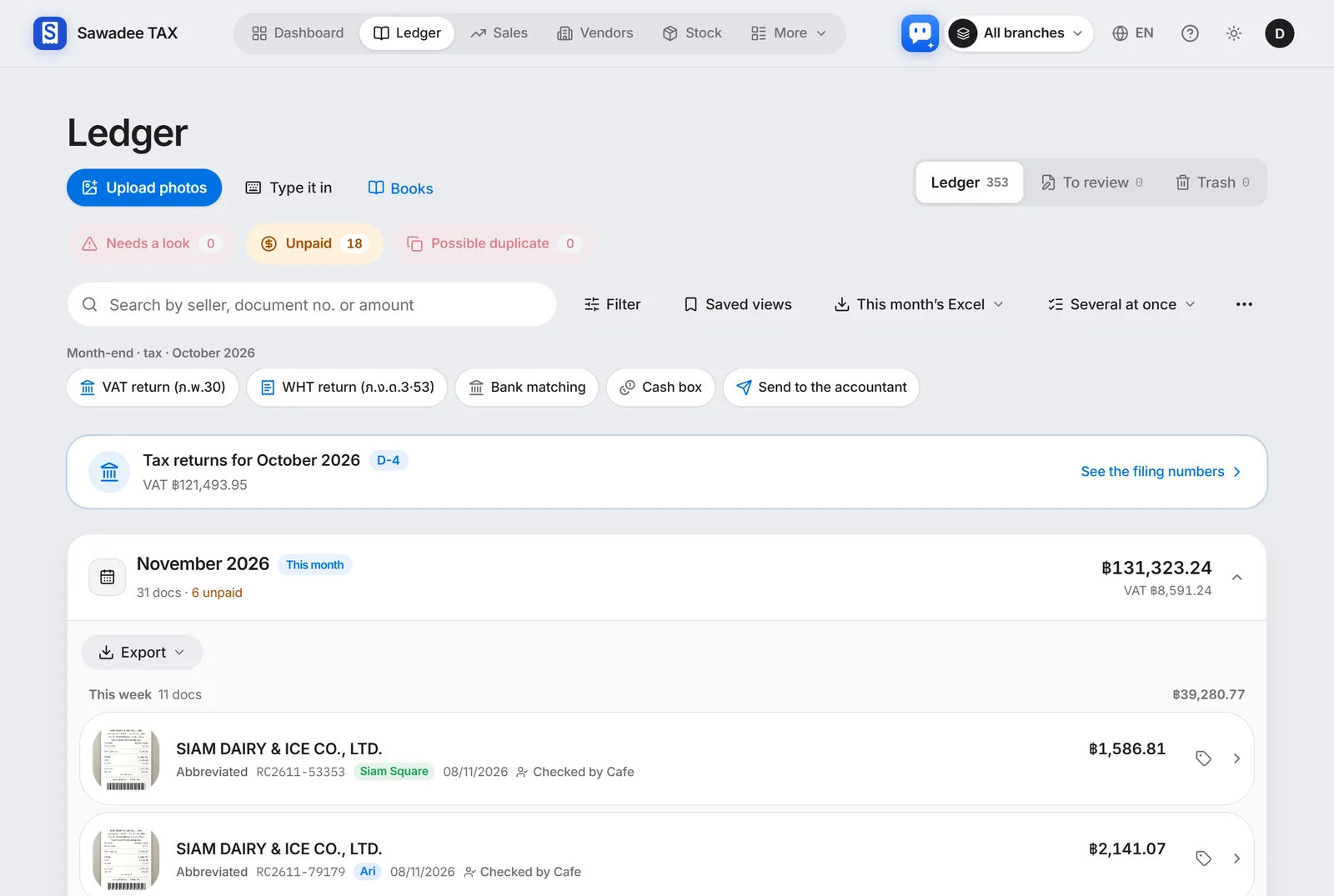
The day's sales from one photo of the closing report, purchase receipts by photo too — and with several branches, cost ratios, profit and payroll on one screen. These screens come from three months of a café kitchen with three branches.
- sales closings (3 branches)
- 220
- purchase receipts
- 353
- branches · one combined dashboard
- 3
Screens of the sample shop Baan Chaba Cafe (three branches, August–November 2026). Shop, branch, supplier and staff names are examples.
A busy shop, light books
Close the day with one photo
Snap the POS closing slip and the AI reads the sales and VAT into the day. Delivery apps by channel too.
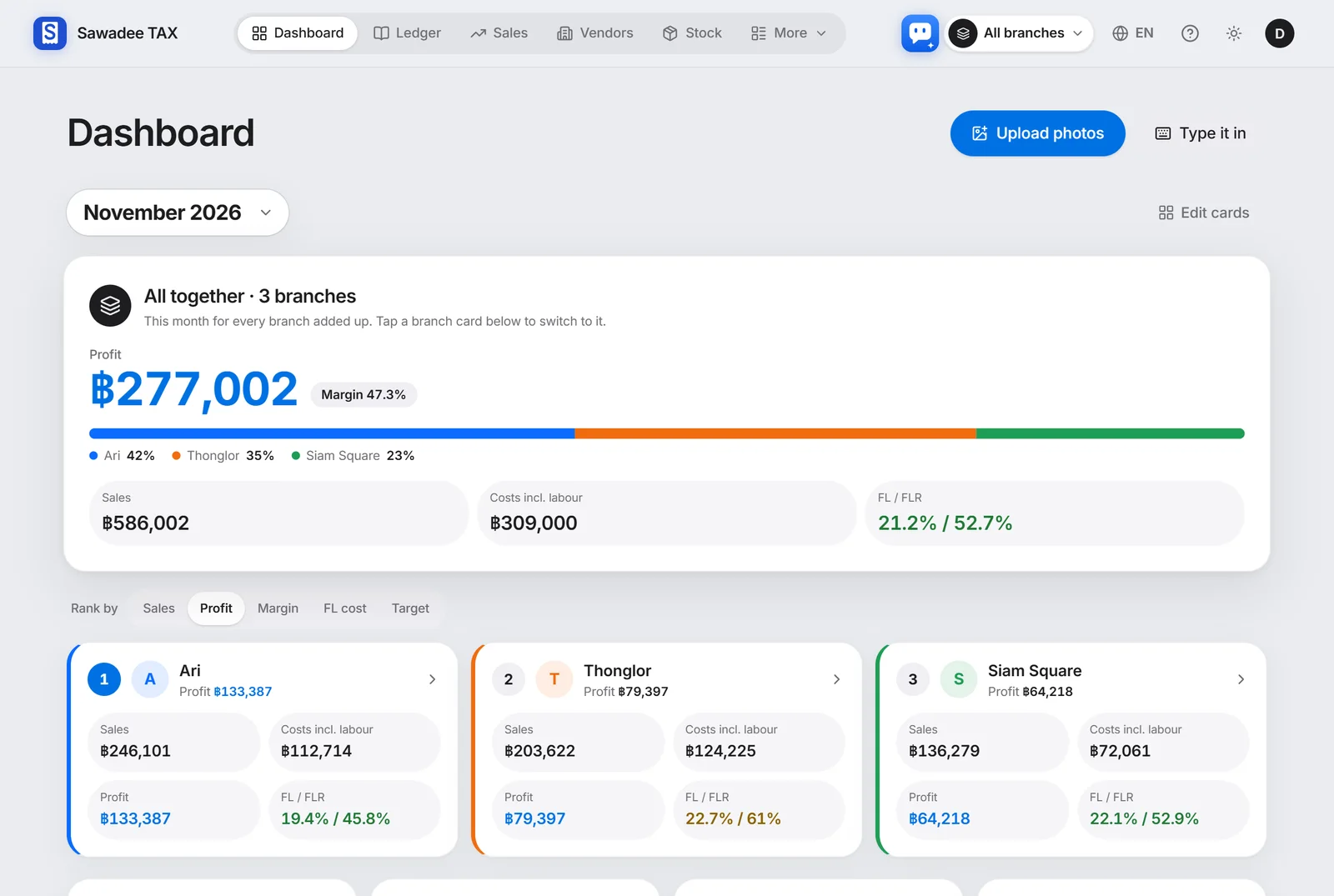
Three branches, one screen
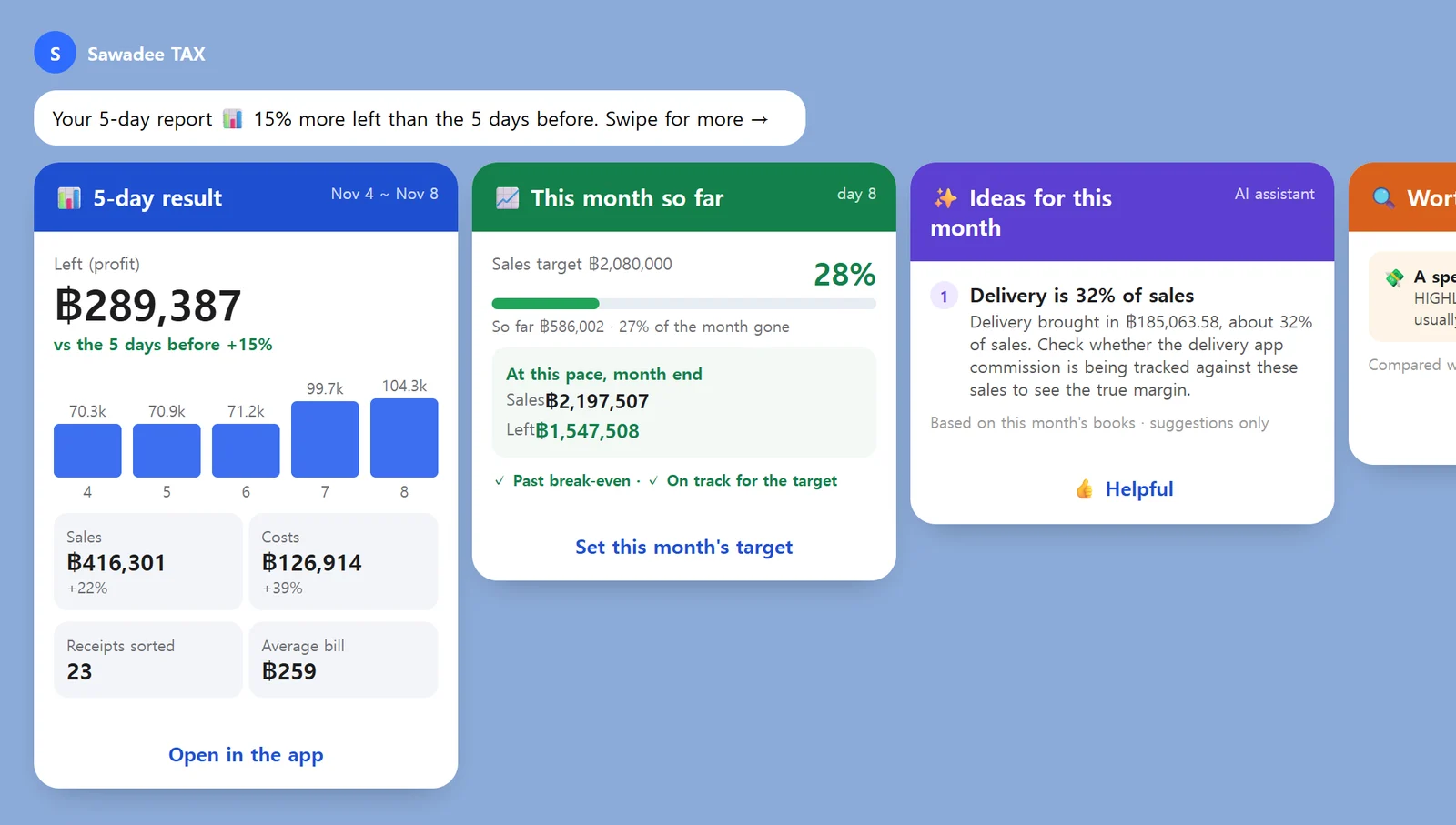
What is left this month across all branches, and each branch's sales, profit and cost ratios (FL · FLR), right on the dashboard.
Payroll and social security too
Staff pay, social security, withholding and payslips each month, and schedules from a photo of the rota.
Time you could save (estimate)
82%less time
About 75.4 hours by hand, about 13.3 hours with the app
Three months of bookkeeping for the sample shop above, done yourself in a spreadsheet, compared with taking photos and checking in the app.
| Work | By hand | App | Saved |
|---|---|---|---|
| Typing in each day's sales220 closings (3 branches) × 10 min → one photo × 2 min | 36.7 h | 7.3 h | 80% |
| Sorting purchase receipts353 × 2 min → photo checked × 30 s | 11.8 h | 2.9 h | 75% |
| Pay, social security, payslips3 months × 5 h → × 40 min | 15 h | 2 h | 87% |
| Cost ratios and profit3 months × 3 branches × 1 h → × 10 min | 9 h | 0.5 h | 94% |
| VAT return figures3 months × 60 min → × 10 min | 3 h | 0.5 h | 83% |
| Total | 75.4 h | 13.3 h | 82% |
An estimate. Minutes per item assume usual work and vary by shop and person. Time for filing itself is not included.
Dashboard
Several branches, one combined first screen
What is left across the three branches and each branch's share, sales, costs and FL / FLR on the first screen. Rank the branch cards by sales, profit or cost ratio; tap one to switch to that branch.
- Combined and per-branch profit and share
- Branches ranked by sales, profit, FL cost or target
- FL · FLR cost ratios against your targets
AI receipt reading
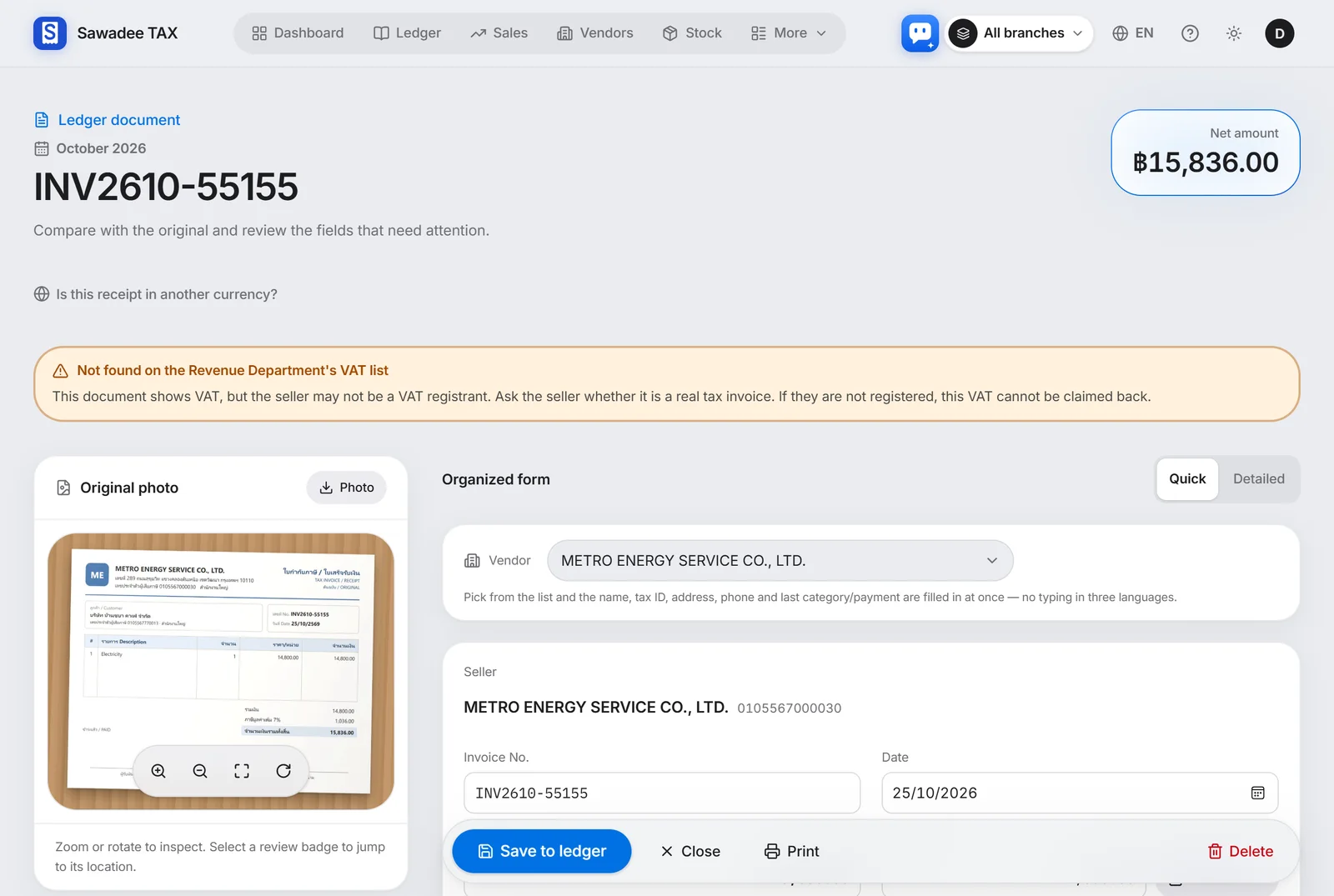
One photo, one line in the books
Snap a receipt or tax invoice and the AI reads the seller, tax ID, date, items and VAT into the books. The photo stays attached, so the original is always one tap away.
- Many at once, or just send them on LINE
- Non-claimable papers and missing details flagged in colour
- Categories you correct are learned for next time
AI assistant
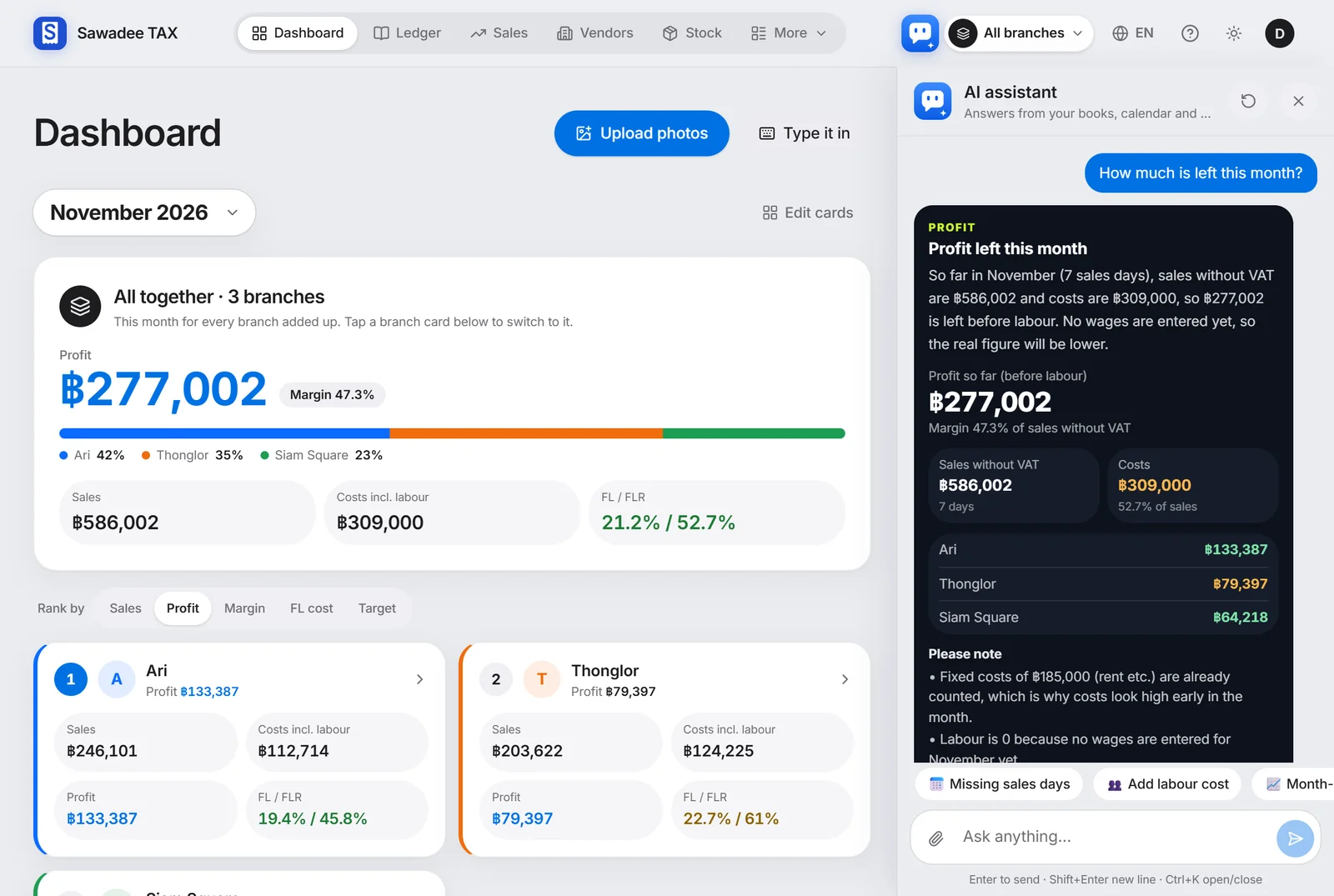
Just ask your books
Ask "How much is left this month?" or "Where did we spend the most?" and the AI assistant answers with your own books' figures. Drop in a contract and it finds the dates and offers to add them to the calendar.
- Answers in numbers from your books and calendar
- Drag in receipts and contracts
- Ctrl+K on a PC, the button at the bottom right on a phone
LINE AI assistant
Reports on LINE, without opening the app
Every few days, cards on LINE with recent sales and what is left, how the month is going and the AI's ideas for running the shop. On the 1st, last month's closing report and a link for your accountant.
- Each owner and staff member in their own language
- Ask on LINE, like 'summary' or 'what to pay', and it answers
- Ask the AI assistant inside the app too
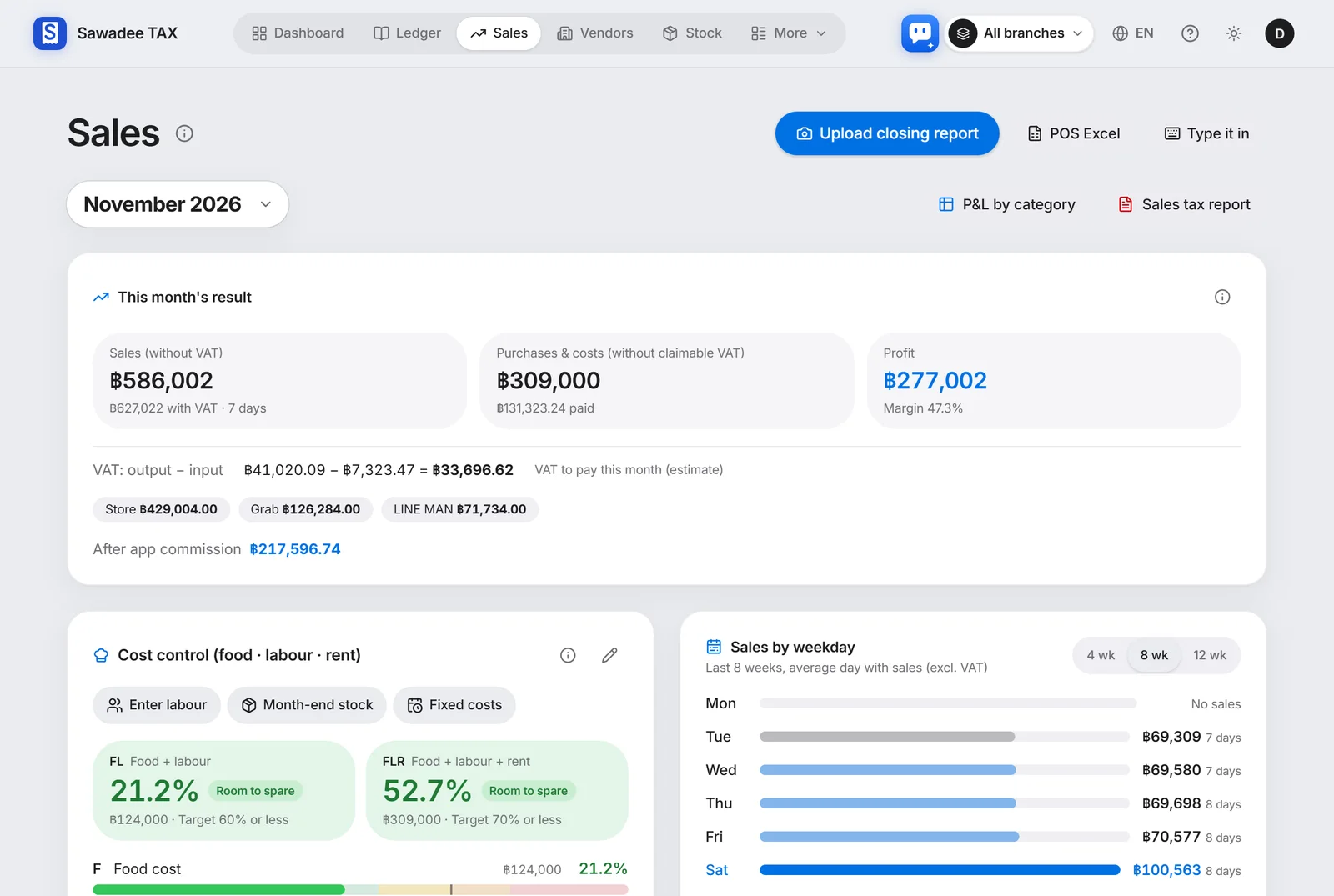
Closing sales
Close the day with one photo
Snap the POS closing slip and the sales, VAT and receipt numbers go in as the day's sales, shop and delivery apps by channel.
- Daily sales by branch and channel
- The sales tax report made for you
- A short AI summary of how sales are going
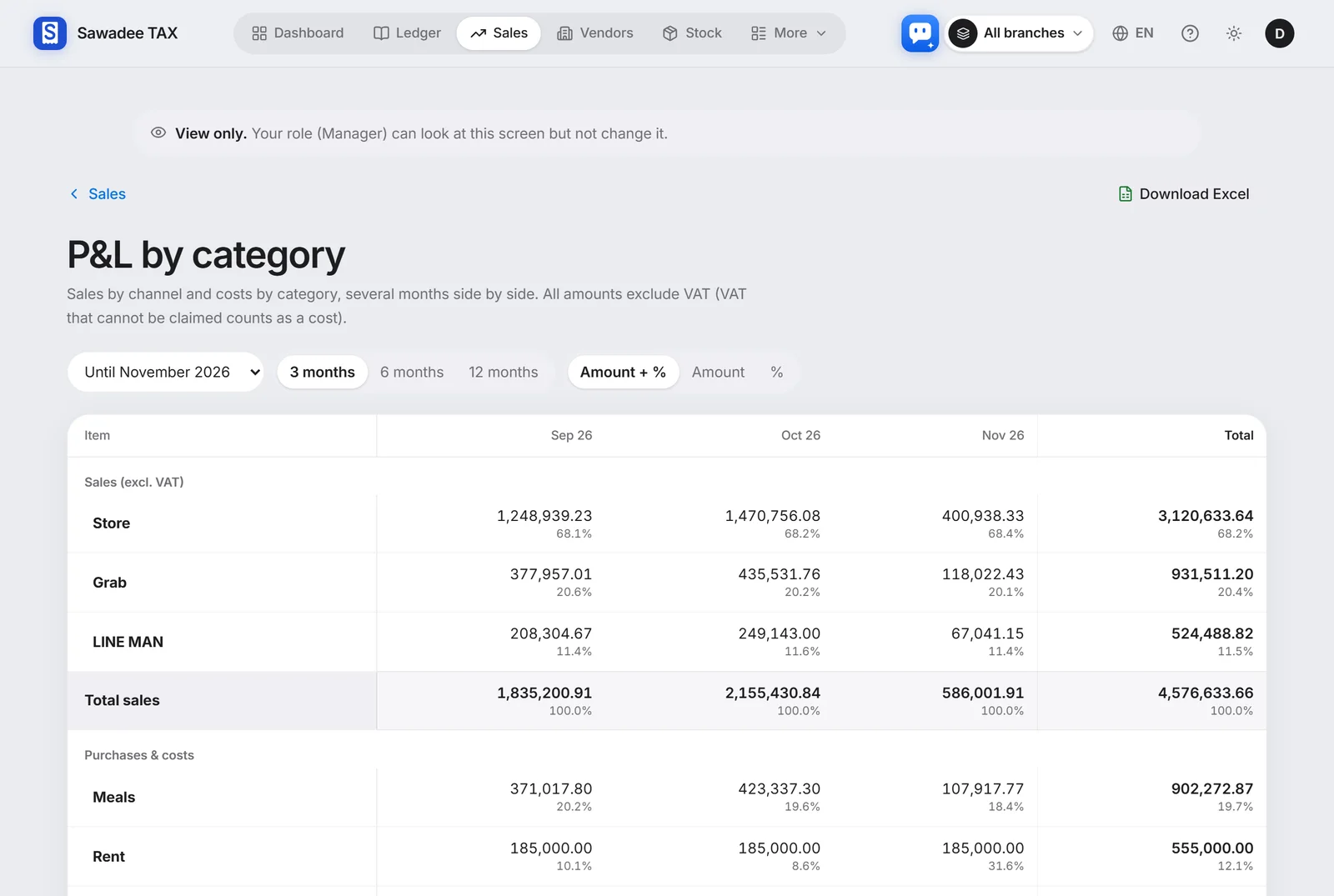
Profit and loss by category
What is left this month, in one table
Sales by channel and costs by category, several months side by side, each with its share of sales, so a cost that went up stands out.
- Food, labour and rent ratios
- 3, 6 or 12 months
- Download as Excel
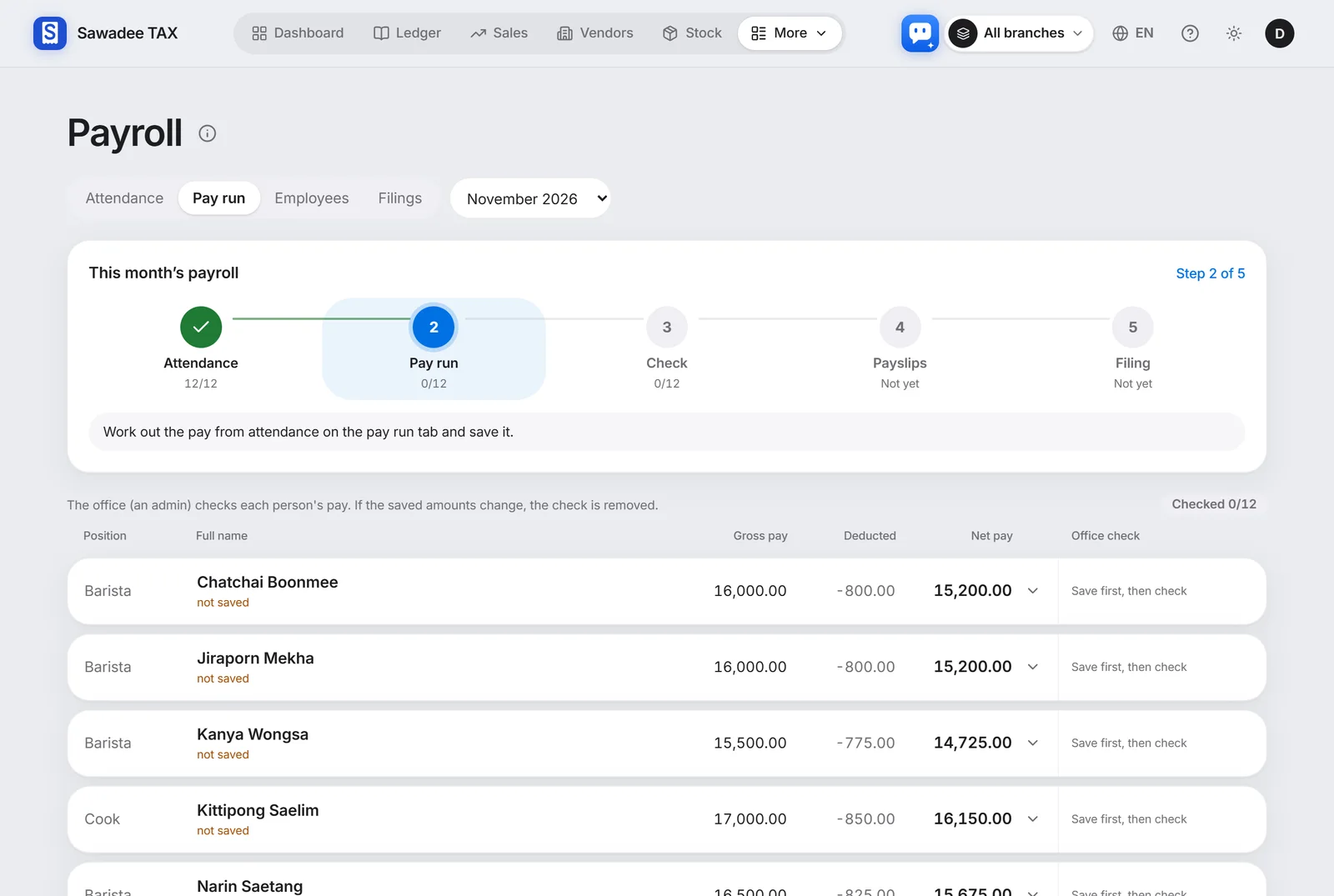
Payroll · social security
From the pay to the payslip
Pay for monthly and daily staff, social security and withholding worked out, and payslips made, with the figures for the filings sorted alongside.
- Social security and withholding worked out
- Payslips and filing figures
- Schedules from a photo of the rota
Purchase receipt → ledger
Purchase receipts by photo too
Snap a market or supplier receipt and the AI reads it into the ledger, checking the VAT you can claim. What you owe and when, at a glance.
- Purchases by supplier
- Reminders of bills due soon
- Export the accountant's Excel
Your shop's books, like this
Snap closing slips and purchase receipts and these screens fill with your shop's figures.
Figures worked out by the app from your records. File with your accountant.